
Nero Manager icon
Nero Manager icon

Nero Manager

A fast and efficient Proton prefix runner and manager, using umu as its backend for Steam-like compatibility with non-Steam applications.
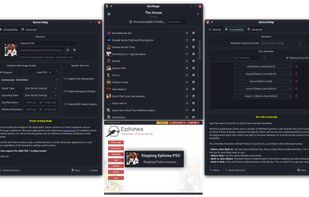
Nero Manager screenshot 1

Cost / License

Platforms

  • Linux
0likes
0comments
0articles

Features

  1.  Command line interface
  2.  Compatibility Layer

Nero Manager News & Activities

Highlights All activities

Recent activities

Nero Manager information

  • Developed by

    That One Seong
  • Licensing

    Open Source (GPL-3.0) and Free product.
  • Written in

  • Alternatives

    51 alternatives listed
  • Supported Languages

    • English

AlternativeTo Category

OS & Utilities

GitHub repository

  •  49 Stars
  •  6 Forks
  •  23 Open Issues
  •   Updated  
View on GitHub

Popular alternatives

View all
Nero Manager was added to AlternativeTo by benni347 on and this page was last updated .
No comments or reviews, maybe you want to be first?

What is Nero Manager?

A fast and efficient Proton prefix runner and manager, using umu as its backend for Steam-like compatibility with non-Steam applications.

Highlights:

  • It's fast: Built with C++ and Qt, Nero Manager can load large lists of shortcuts (including icons) in less than half a second, while the native toolkit uses half the memory of other managers based on web browser engines.
  • It's simple by default: Create a prefix, add a shortcut, and done. Popups and settings are kept to a minimum to make adding new items as quick as possible.
  • It's flexible when needed: With comprehensive settings for both prefix and shortcut, even things that experts will use often like DLL overrides or configuring add-ons to run alongside umu like Gamemode and Gamescope can be configured graphically; all without having to type in long-winded command strings.
  • It's streamlined: Comprehensive descriptions of each setting and how to get the best out of them will make even a new user armed and ready with the knowledge to make full use of Proton's potential.
  • It's integrated:* A built-in Winetricks frontend skips (most of) the clunkiness, allowing quick and simple verbs installation either during or after creating a prefix, and per-shortcut version overrides can be set without using Winecfg.
  • It works from the CLI: Nero Manager is the integrated graphical frontend, made for creating, managing and running prefixes and shortcuts. But when run from the CLI, Nero's Runner component can launch an executable in a prefix, not unlike Bottles.
  • It's got other stuff: Easily install the Discord RPC bridge for each prefix, automagically apply SDL Controller layouts fix (e.g. for Nintendo controllers et al), set custom shortcut icons, use pre-run and post-run scripts, and just play your darn games already.

Official Links