Klipper is a free and open source, multifunctional clipboard manager for the KDE interface.


NanoClip is described as 'Fast, minimal Mac clipboard utility that combines clipboard history, snippets, and automation flows in one lightweight menu bar app' and is a clipboard manager in the office & productivity category. There are more than 50 alternatives to NanoClip for a variety of platforms, including Mac, Windows, iPhone, iPad and Linux apps. The best NanoClip alternative is CopyQ, which is both free and Open Source. Other great apps like NanoClip are Ditto, Rememory, PasteBar and Planck.
Klipper is a free and open source, multifunctional clipboard manager for the KDE interface.


ClipMenu can manage clipboard history. You can record 8 clipboard types, from plain text to image.

1Clipboard is managerial clipboard software that enables you to approach clipboard at any place on any device.


Pasta is a beautiful and flexible clipboard manager for the mac. It saves everything you copy to your clipboard so you can reuse it later.


Clipboard manager extension for your browser: history of copied text, favorite items, instant paste.


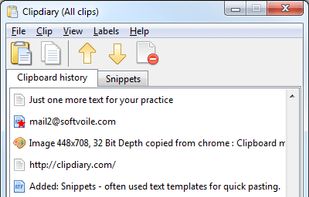
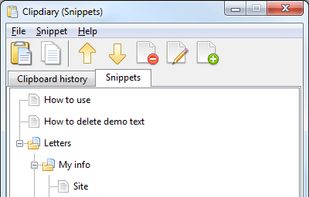
Universal clipboard assistant which keeps a history of copied texts and images and securely syncs them between computers. Keeps also your most used text snippets ready to be pasted into anywhere.


Cliphist is an efficient Linux-based Wayland clipboard manager supporting both text and images, conserving content byte-for-byte. It archives clipboard changes to a history file, integrates with tools like dmenu or rofi for recall, and remains lightweight, open-source, and ad-free.

ClipIt is a lightweight, fully featured GTK+ clipboard manager. It was forked from Parcellite, adding additional features and bugfixes to the project.


ClipCache is an easy to use and powerful clipboard extender and a whole lot more! It monitors clipboard activity and aids not only in the management of saved clips, but in cleaning up and modifying those clips in many, many useful ways.


CopyLess was designed not to replace the system clipboard, but to extend it in many ways. Everything you copy to the system clipboard is captured automatically, so you do not need to care how to get the data to CopyLess.