


Namida
Feature-rich music and video player with YouTube support, built on Flutter. Offers folder-based library, powerful indexer, tagging, custom themes, waveform seekbar, offline and audio-only modes, advanced queue, history tracking, and gesture-based video controls.
Cost / License
- Free
- Open Source
Application types
Platforms
- Android
- Android Tablet

Features
Properties
- Privacy focused
- Lightweight
- Support for Themes
Features
- File Tagging
- Dark Mode
- MP3 Downloader
- Ad-free
- No registration required
- Support for Gestures
- No Tracking
- Works Offline
- Lossless Audio
- Personalized Recommendations
- YouTube Downloader
Namida News & Activities
Recent activities
- Begenmedikler1m liked Namida
 OrdinaryPerson added Namida as alternative to Koda Player
 OrdinaryPerson added Namida as alternative to Particle Music
 justarandom added Namida as alternative to Monochrome Music
- Creative_joe liked Namida
 mlogictech added Namida as alternative to Playlist Wiper
- 6zjqcm7byh-coder liked Namida


Namida information
Developed by
 Namidaco
 Licensing
Open Source and Free product.Alternatives
74 alternatives listedSupported Languages
- English
- Russian
- Italian
- Hindi
- Spanish
- French
- German
- Indonesian
- Japanese
- Persian
- Polish
- Portuguese
- Turkish
- Vietnamese
- Ukrainian
- Chinese
AlternativeTo Categories
Audio & Music, Video & Movies, File ManagementGitHub repository
- 5,273 Stars
- 288 Forks
- 129 Open Issues
- Updated


Featured in Lists

UI = User Interface UX = User eXperience Most open source apps offer out-dated or classic material design UI. If the …
What is Namida?
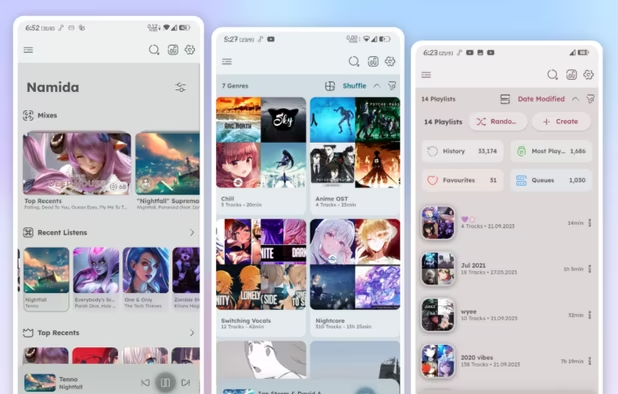
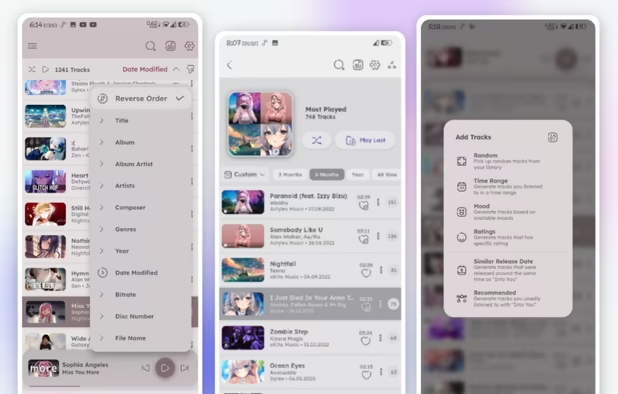
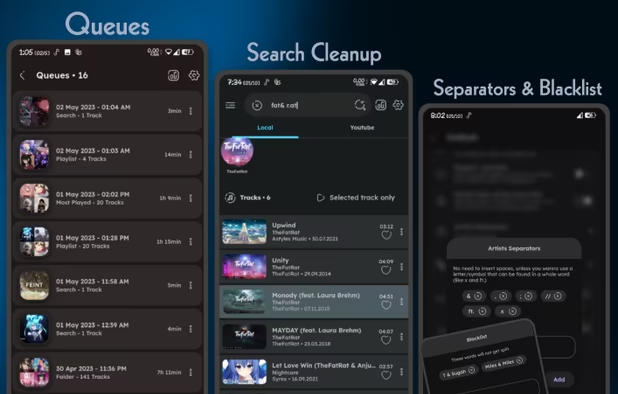
Namida is a music and video player that supports Youtube, built using Flutter. It includes an indexer, tag editor, genre separators, and a mechanism to prevent duplicate tracks. Users can set media file size and duration, and exclude folders from the library. Tracks and albums can be sorted by any property.
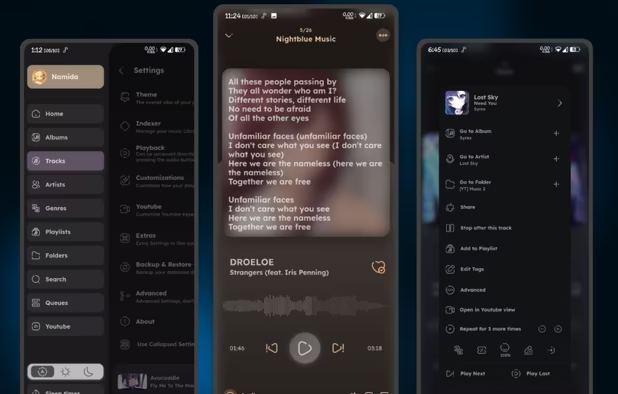
Namida features a Material3-like theme with dynamic theming capabilities. Player colors can be adjusted based on album artwork and it includes pages for various music categories and a waveform seekbar.
The software supports high-quality video and audio streaming, audio-only mode, offline playback, and download support. Users can edit tags for downloads and automate title/artist/album extraction. The video view supports volume control, seeking, and fullscreen gestures.
Additional features include a sleep timer, crossfade and play/pause fade effects, control over pausing scenarios, track selection from multiple locations, a 'most played playlist' feature, and a history system.
Namida can also play videos related to the music from the local library, either stored locally or fetched from YouTube.