MultiGrab (MGrab) Alternatives

MultiGrab (MGrab) is described as 'You grab Screens or Windows using the standard PrtScn and Alt-PrntScn keys and MGrab will intercept the saved data as it is sent to the clipboard and put it into your chosen folder as a BMP or JPG file leaving the clipboard free for you to take another screenshot' and is a screenshot capture tool in the photos & graphics category. There are more than 50 alternatives to MultiGrab (MGrab) for a variety of platforms, including Windows, Mac, Web-based, Google Chrome and Linux apps. The best MultiGrab (MGrab) alternative is ShareX, which is both free and Open Source. Other great apps like MultiGrab (MGrab) are Greenshot, PicPick, Snipping Tool and FastStone Capture.

Copy a direct link to this comment to your clipboard
MultiGrab (MGrab) alternatives page was last updated

Alternatives list

  1. Copy a direct link to this comment to your clipboard

    Onde Screen Capture for Mac is currently the most professional and powerful screen grabbing utility running on Mac OS, by which you can easily capture any part on your Mac desktop such as rectangular or ellipse region, freehand region, full screen, active window or all windows...

    Cost / License

    • Freemium
    • Proprietary

    Application type

    Platforms

    • Mac
     
  2. Copy a direct link to this comment to your clipboard

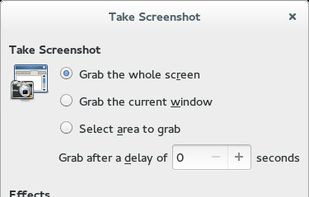
    GNOME Screenshot is a utility used in the GNOME desktop environment for taking screenshots. It was part of the GNOME Utilities (gnome-utils) package, but was split into its own package for the 3.3.1 version in 2011.

    Cost / License

    • Free
    • Open Source

    Application type

    Platforms

    • Linux
    • FreeBSD
    • GNOME
     
  3. SnipSnip icon
     2 likes
    Copy a direct link to this comment to your clipboard

    SnipSnip is a screen capture utility, designed for easy capture of some or all of your screen(s). It also allows you to do simple tasks like resizing, cropping and drawing on the capture.

    Cost / License

    • Free Personal
    • Proprietary

    Application type

    Platforms

    • Windows
     
  4. Copy a direct link to this comment to your clipboard

    Screen Capturer allows you to instantly capture any area of the screen to a file or email.

    Cost / License

    • Free
    • Proprietary

    Application type

    Platforms

    • Windows
     
  5. XSnap icon
     Like
    Copy a direct link to this comment to your clipboard

    QuickScreenshot is a lightweight and very easy to use application that enables you to take screenshots of your desktop with a few mouse clicks. Just press the wanted screenshot key (or press it multiple times) and your screenshots are done!

    89 XSnap alternatives

    Cost / License

    • Free
    • Proprietary

    Application type

    Platforms

    • Windows
     
  6. Copy a direct link to this comment to your clipboard

    Image Tools is a screen capture, file sharing and image processing tool. It features multi-threaded batch image resizing, conversion, cropping, flipping/rotating, watermarks, decolorizing (grayscale, negative, sepia), and optimizing.

    Cost / License

    • Free
    • Proprietary

    Application type

    Platforms

    • Windows
     
  7. Copy a direct link to this comment to your clipboard

    Screen Grab Pro Is a freeware screen capture tool. It features One click grab of any screen for ease of use, Timer operation, Current window selection list and more. Screen Grab Pro copies a bitmap to clipboard ready for pasting in your favorite Picture Editor.

    Cost / License

    • Free
    • Proprietary

    Application type

    Platforms

    • Windows
     
  8. Capture icon
     Like
    Copy a direct link to this comment to your clipboard

    Capture is a quick-and-easy screen capture utility for Windows (and NT), which allows you to capture the entire screen, at any color depth and resolution, and save it into a Bitmap file for editing. If you are interested in only capturing one window, you can select to capture...

    64 Capture alternatives

    Cost / License

    • Free
    • Proprietary

    Application type

    Platforms

    • Windows
     
  9. Copy a direct link to this comment to your clipboard

    Bug Shooting is the perfect tool for software developers as well as testers. Bug Shooting provides you an easy way to create screen captures and attach them to items of your bug tracking or issue management system, e.g.

    Cost / License

    • Paid
    • Proprietary

    Application type

    Alerts

    • Warning

    Platforms

    • Windows
     
  10. ClipDesk icon
     Like
    Copy a direct link to this comment to your clipboard

    A tool to capture, save, print images.

    Cost / License

    • Free
    • Proprietary

    Application type

    Platforms

    • Windows
     
You are at page 7 of MultiGrab (MGrab) alternatives