More Options for YouTube icon

More Options for YouTube

 Like

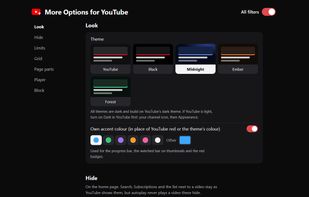
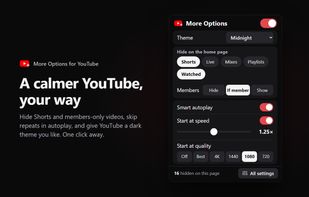
Free, open-source YouTube blocker and customizer: hide Shorts, block channels and members-only videos, stop autoplay repeats, set player defaults, dark themes.
More Options for YouTube screenshot 1

Cost / License

  • Free
  • Open Source (MIT)

Since

  • New

Platforms

  • Google Chrome
  • Mozilla Firefox
  • Microsoft Edge
More Options for YouTube screenshot 2
Alternatives
0likes
0alternatives
0articles
Save

Features

Features

 Tags

Highlights All activities

More Options for YouTube News & Activities

Recent activities

More Options for YouTube information

AlternativeTo Category

Web Browsers

GitHub repository

  •  0 Stars
  •  0 Forks
  •  0 Open Issues
  •   Updated  
View on GitHub
More Options for YouTube was added to AlternativeTo by maxaubert on and this page was last updated .

No comments or reviews, maybe you want to be first?

What is More Options for YouTube?

More Options for YouTube gives every YouTube annoyance its own switch. Hide Shorts, Playables, news and trending rows, live streams, mixes and playlists. Hide members-only videos, the ones that look normal until you hit a paywall. Hide videos that are too old, have too few views or are already watched. Block channels and title words, or block a channel from a video's menu. Smart autoplay skips videos you already watched and never plays a video your filters hide. Set default speed, quality, theater mode and subtitles. Choose how many videos per row, stop previews on hover, and hide parts of the page. Dark themes (Black, Midnight, Ember, Forest) and your own accent colour. No account, no tracking, no analytics: settings stay in your browser. Works in Firefox, Zen, Chrome and Edge. Open source under the MIT licence.