





Moli Browser
1 like
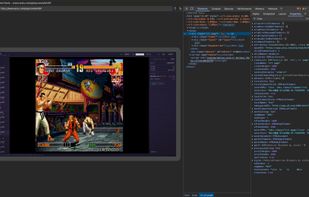
Moli is a production-ready headless browser for AI agents. Its on-demand layout and rendering design combines a complete browser runtime with a lightweight resource footprint.

Cost / License
- Freemium (Subscription)
- Open Source (Apache-2.0)
Platforms
- Mac
- Windows
- Linux


Features
Moli Browser News & Activities
Highlights All activities
Recent activities
 Paul added Moli Browser as alternative to Lightpanda
- Croco Loki added Moli Browser
- Paul updated Moli Browser
- Croco Loki liked Moli Browser
- Croco Loki updated Moli Browser
- Croco Loki updated Moli Browser
 Croco Loki added Moli Browser as alternative to CloakBrowser, Donut Browser, Camoufox, MASQ | Anti-Detection Browser and 1 more


Moli Browser information
Developed by
 Lexmount
 Licensing
Open Source (Apache-2.0) and Freemium product.Pricing
Subscription ranging between $12 and $180 per month + free version with limited functionality.Written in
Alternatives
6 alternatives listedBadge
Get an embeddable badge for Moli BrowserSupported Languages

AlternativeTo Category
DevelopmentGitHub repository
- 3,656 Stars
- 188 Forks
- 227 Open Issues
- Updated


No comments or reviews, maybe you want to be first?