Mint helps you free up space on your Mac, understand what is using it, and keep folders organized.
Keep files while recovering space. Eligible identical copies can share storage on APFS without removing a copy or changing its contents or location. The website download and Setapp versions can also compress eligible idle files in place. Savings depend on your files.
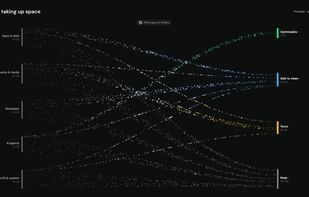
Understand what can be optimized, cleaned or kept. Mint's storage map groups apps, documents, developer files and AI tool data, with sizes and reasons to help you review findings. Supported tools include Claude Code, Codex and Cursor.
Organize folders by type, date, source or topic. Preview proposed moves before applying them, or enable paid Auto Care for selected folders. Optional content analysis runs on your Mac.
Connect your own tools. The version downloaded from Mint's website includes a command-line interface and a local MCP server. Connected AI assistants can inspect storage and move eligible items from a reviewed cleanup plan to Trash. These integrations are not included in the Mac App Store or Setapp editions.
File analysis runs on your Mac. If you connect an AI client through MCP, requested tool results are shared with that client. Undo can restore supported file moves while the files and operation records remain available; permanent deletion and emptying Trash cannot be undone.
The free website download includes unlimited scans, manual file organizing and manual memory release, plus a shared, one-time 1 GB allowance for disk actions such as cleanup, optimization and app removal. Paid access adds unlimited disk actions and Auto Care. Pricing, free access and features vary between the website, Mac App Store and Setapp versions. See the official website for current plans and edition details.







 dzgstudio added Mint (DZG Studio) as alternative to CleanMyMac, AppCleaner, DaisyDisk and Hazel


 DZG Studio LLC


No comments or reviews, maybe you want to be first?