


Microsoft Planner
Planner is team-based work management software for creating plans, organizing and assigning tasks, file-sharing, work-based chats and progress updates.

Cost / License
- Subscription
- Proprietary
Application types
Platforms
- Windows
- Online
- Android
- iPhone
- Android Tablet
- iPad


Features
- Kanban Board
- Real time collaboration
- Team Collaboration
Microsoft Planner News & Activities
Recent News
- Maoholguin published news article about Microsoft Planner
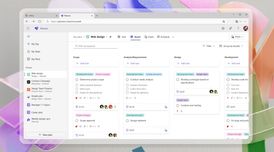 Microsoft to launch web version of Planner with enhanced AI tools for 365 subscribers
Microsoft is launching a web version of its Microsoft Planner app for Microsoft 365 Copilot subscri...

Recent activities
 MaximusCortex added Microsoft Planner as alternative to QuestLog
 z_duane added Microsoft Planner as alternative to LaterCue
 POX added Microsoft Planner as alternative to SyncTasks
 HealUp added Microsoft Planner as alternative to HealUp
 nasokolov77 added Microsoft Planner as alternative to Smart Daily Planner
 SpacelyTask added Microsoft Planner as alternative to Spacely Task
 marcel_notedock added Microsoft Planner as alternative to NoteDock AI
 aeksto added Microsoft Planner as alternative to Doable
 maciejbrzezinski added Microsoft Planner as alternative to Paso
 zendump added Microsoft Planner as alternative to ZenDump


Microsoft Planner information
Developed by
 Microsoft
 Licensing
Proprietary and Commercial product.Pricing
Subscription.Alternatives
80 alternatives listedSupported Languages
- English
- Catalan; Valencian
- Croatian
- Czech
- Danish
- Dutch
- Finnish
- French
- German
- Greek
- Hungarian
- Indonesian
- Italian
- Japanese
- Korean
- Norwegian Bokmål
- Polish
- Portuguese
- Romanian
- Russian
- Chinese
- Slovak
- Spanish
- Swedish
- Thai
- Turkish
- Ukrainian
- Vietnamese
AlternativeTo Categories
Office & Productivity, Remote Work & Education, Business & CommerceApple AppStore
- Updated
- 4.64 avg rating


Featured in Lists

A list with 807 apps by AmileyaRyver without a description.

A list with 102 apps by trishafhhmoam without a description.

... diese gut ...
What is Microsoft Planner?
Microsoft Planner lets you easily bring together teams, tasks, documents, and conversations for better results.
FEATURES
Easy to use - Launch Planner from the Office 365 app launcher with a single click. You can then create a new plan, build a team, assign tasks, and update status—in a few easy steps.
Organize work visually - Each plan has its own board, where you can organize tasks into buckets. You can categorize tasks based on their status or on whom they’re assigned to. To update the status or change assignments, just drag and drop tasks between columns.
Visibility and transparency - The My Tasks view provides a comprehensive list of all your tasks and their status across all your plans. When working together on a plan, team members always know who is working on what.
Collaborate around tasks - Built for Office 365, Planner lets you attach files to tasks, work together on those files, and even have conversations around tasks without switching between apps. With Planner, all your team’s discussions and deliverables stay with the plan and don’t get locked away across disparate applications.
Works across devices - Planner works across all your devices. And with Planner, everyone is always on the same page. A glance at Charts is all it takes to know where things stand and if the team is making enough progress towards their goal.
Email notifications - With Planner, you’ll never miss a beat! Receive email notifications whenever you’re assigned a new task or added to a conversation.


Comments and Reviews
My company has it as part of the office suite and doesn't use it. I picked it up and greatly prefer it over Asana because it has a simpler interface and is easier for everyone to understand.