
MeshWeave icon
MeshWeave icon

MeshWeave

Open, view and convert SolidWorks, STEP, Parasolid, IGES, Rhino, STL, OBJ and 3MF files in your browser, with nothing installed.
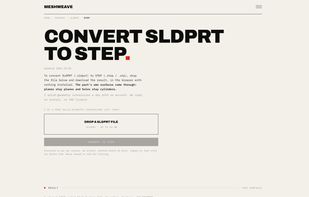
Convert a SOLIDWORKS part (.sldprt) to STEP in the browser, no install or account needed.

Cost / License

  • Freemium (Subscription)
  • Proprietary

Platforms

  • Software as a Service (SaaS)
  • Online
0likes
0articles
Save

Features

  1.  Cloud Sync
  2.  No registration required
  3.  Ad-free
  4.  3D Printing

MeshWeave News & Activities

Highlights All activities

Recent activities

MeshWeave information

  • Developed by

    US flagMeshWeave
  • Licensing

    Proprietary and Freemium product.
  • Pricing

    Subscription ranging between $7 and $19 per month + free version with limited functionality.
  • Alternatives

    10 alternatives listed
  • Badge

    Get an embeddable badge for MeshWeave
  • Supported Languages

    • English

AlternativeTo Categories

Photos & Graphics, System & Hardware

Popular alternatives

View all
MeshWeave was added to AlternativeTo by Jacob-Kritzinger on and this page was last updated .

No comments or reviews, maybe you want to be first?

What is MeshWeave?

MeshWeave opens and converts CAD files in the browser with nothing installed. Drop in a SOLIDWORKS part, a STEP, Parasolid, IGES or Rhino file, or a mesh, and get back the format your CAD system, slicer or supplier needs.

What it does differently:

  • STL to STEP returns real surfaces: a round hole comes back as one cylinder you can measure, not hundreds of flat slivers.
  • SOLIDWORKS parts convert with their exact surfaces, multibody parts keep their bodies, and a newer part can be saved for SOLIDWORKS 2025 or 2024.
  • A free online viewer: meshes open in your own browser and are never uploaded.

Free without an account: 5 conversions a day, 2 of them to solid formats like STEP, files up to 60 MB. Files are processed on MeshWeave's own servers, deleted within 24 hours without an account, never shared and never used to train AI.
