

MediaSync Ingest Pilot icon

MediaSync Ingest Pilot

 1 like

Converts camera files to Avid-ready MXF and AAF, preserves audio channels, follows saved project formats, verifies checksums, detects duplicates, and delivers clips to bins. Shared queues, transfer controls, scheduling, mobile monitoring, comparison tools, and media recovery support facility workflows.
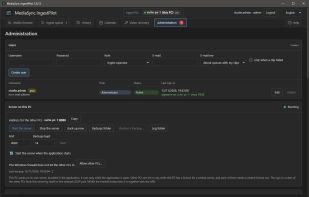
Administration
Users with administrator or operator roles, and the server built into the application, which the other ingest PCs connect to.

Cost / License

  • Subscription
  • Proprietary

Since

  • New

Platforms

  • Windows
1like
0articles
Save

Features

Features

Highlights All activities

MediaSync Ingest Pilot News & Activities

Recent activities

MediaSync Ingest Pilot information

AlternativeTo Category

Video & Movies
MediaSync Ingest Pilot was added to AlternativeTo by dvision1979 on and this page was last updated . MediaSync Ingest Pilot is sometimes referred to as Ingest Pilot, IngestPilot. 

No comments or reviews, maybe you want to be first?

What is MediaSync Ingest Pilot?

MediaSync Ingest Pilot converts source media into Avid-ready MXF files with PCM audio and matching AAF files, then adds completed clips to Avid bins. It reads saved Avid project settings to select the format, raster, and scan type; unrecognized formats require manual selection. Source audio channels are retained as ordered mono tracks. Preview tools show source and output media with timecode, audio meters, and side-by-side, overlay, or difference comparisons.

Its ingest queue can start, pause, stop, and retry failed clips. It includes checksum verification, duplicate detection based on path, size, and modification time, session reports, disk-space checks, and configurable read/write speed limits using presets and a weekly schedule. Multiple ingest PCs can share queues through a central network server with central accounts, cross-PC duplicate checks, job history, requeuing, and CSV export. A Mobile license adds a phone-accessible queue view with notifications and start/pause controls.

The application can scan Avid projects, bins, and media folders for missing or damaged clips, then recreate media from the original ingest archive with the same identity for sequence relinking. Recovery checks originals with SHA-256 and frame counts. Administrator and Operator roles control access to Avid identifiers, audit logs, and diagnostics. It is available as a per-user Windows installer for x64 and ARM64 PCs, requires no administrator rights or additional software, supports English and Romanian, and updates on restart.