MediaMake icon
MediaMake icon

MediaMake

An AI-powered online studio for photo editing, design, PDFs and QR codes — with background removal, image generation and an AI assistant.
MediaMake screenshot 1

Cost / License

  • Freemium (Subscription)
  • Proprietary

Platforms

  • Windows
  • Online
  • Mac
0likes
0comments
0articles

Features

Properties

  1.  Support for Themes

Features

  1.  Support for Layers
  2.  WYSIWYG Support
  3.  Batch Editing
  4.  Built-in Color Picker
  5.  Combine PDF
  6.  Live Preview
  7.  Dark Mode
  8.  Ad-free
  9.  PDF annotation
  10.  Non Destructive Editing
  11.  Cloud Sync
  12.  No registration required
  13.  AI-Powered
  14.  QR Code Generator

MediaMake News & Activities

Highlights All activities

Recent activities

MediaMake information

  • Developed by

    GI flagMediaMake Studio
  • Licensing

    Proprietary and Freemium product.
  • Pricing

    Subscription ranging between $10 and $29 per month + free version with limited functionality.
  • Alternatives

    51 alternatives listed
  • Supported Languages

    • English
    • German
    • French
    • Spanish
    • Dutch
MediaMake was added to AlternativeTo by Max Dak on and this page was last updated .
No comments or reviews, maybe you want to be first?

What is MediaMake?

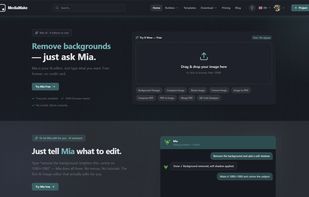
MediaMake is an AI-powered, browser-based media-editing studio — four editors in one place, no installs. It packs a photo editor (AI background removal, filters, adjustments, layers, and a SAM-based magic-wand selection), a design studio (1000+ templates, text with Google Fonts, shapes, an icon library and a brand kit), a PDF editor (import, edit text and shapes, multi-page, export), and a QR-code designer with logo and styling.

AI runs throughout — one-click background removal, smart selection, text-to-image generation, and a built-in assistant (Mia) that helps you create just by typing what you want. Magic Designs turns a single photo into a grid of ready-to-edit posts, stories, banners and cards in seconds. Projects are saved to the cloud, and you can collaborate with your team on shared designs with layer-level comments.

It's a web app with a free plan and subscription tiers, secure sign-in with Google and Apple, and works entirely in your browser.