





MDZip Studio
Like
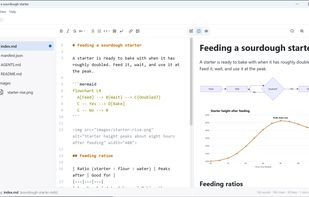
MDZip Studio is a free, open-source Markdown editor for Windows and Linux, and the reference app for the MDZip format. It saves a document together with its images in one file, so you can email, upload or archive it without the pictures going missing.

Cost / License
- Free
- Open Source (Apache-2.0)
Application typeApplication types
Platforms
- Windows
- Linux


Features
Highlights All activities
MDZip Studio News & Activities
Recent activities
- A comment was removed from MDZip Studio
- Kyle White updated MDZip Studio
- Kyle White updated MDZip Studio
- Kyle White updated MDZip Studio
- Kyle White updated MDZip Studio
- Kyle White updated MDZip Studio
- Kyle White added MDZip Studio
 Kyle White added MDZip Studio as alternative to Typora, Joplin, Zettlr, ghostwriter and 1 more
- Kyle White updated MDZip Studio


Developed by
 MDZip Project
 Licensing
Open Source (Apache-2.0) and Free product.Written in
Alternatives
5 alternatives listedBadge
Get an embeddable badge for MDZip StudioSupported Languages

AlternativeTo Categories
Office & Productivity, File Sharing, Education & Reference, Online ServicesGitHub repository
- 2 Stars
- 0 Forks
- 13 Open Issues
- Updated


No comments or reviews, maybe you want to be first?