mdtochat icon
mdtochat icon

mdtochat

Paste Markdown from ChatGPT or Claude and get it formatted for WhatsApp, Slack, Telegram and other chat apps — already copied to your clipboard.
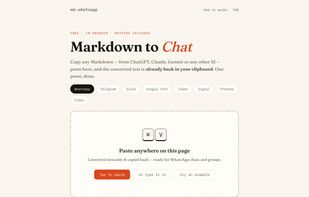
Paste anywhere on the page — the Markdown is converted and copied back to your clipboard in one gesture. Pick a target chat app from the row of tabs.

Cost / License

  • Free
  • Proprietary

Platforms

  • Online

mdtochat News & Activities

Highlights All activities

Recent activities

mdtochat information

  • Developed by

    DE flagmdtochat
  • Licensing

    Proprietary and Free product.
  • Alternatives

    6 alternatives listed
  • Supported Languages

    • English
mdtochat was added to AlternativeTo by jm90 on and this page was last updated .
No comments or reviews, maybe you want to be first?

What is mdtochat?

ChatGPT, Claude, and Gemini write their answers in Markdown — but chat apps don't speak it. WhatsApp uses single-asterisk bold and has no headings, Telegram parses only some syntax on send, Signal deliberately parses nothing, and Slack uses its own mrkdwn. Paste an AI answer unchanged and your colleagues see asterisks and ## hashes.

mdtochat converts Markdown into the target app's own formatting, with a separate dialect per app. Paste once and the converted version is already back in your clipboard, ready to send — the paste gesture itself triggers the conversion and copy-back. Markdown tables (which chat apps can't display) become readable per-row cards instead of monospace grids that wrap badly on phones.

Everything runs client-side in the browser: no account, no upload, no server ever sees your text. Free.

Sister sites for other destinations: mdtoemail.com (rich text for Gmail/Outlook/Word) and mdtoplaintext.com (clean plain text).