




MC-ServerLauncher
Like
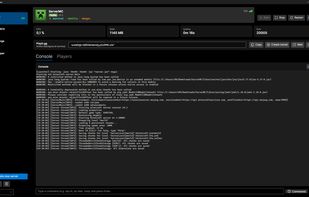
Free, open-source desktop app to create and manage Minecraft servers on your own PC — no command line, no config files. Pick a version and server type (Vanilla, Paper, Forge, Fabric) and it downloads the official files, accepts the EULA and generates the world for you.

Cost / License
- Free
- Open Source
Application type
 EU
EUPlatforms
- Windows
- Linux
- Mac


Features
MC-ServerLauncher News & Activities
Highlights All activities
Recent activities
- Juan Pastrana added MC-ServerLauncher
- Juan Pastrana thinks Ad-free is a important feature of MC-ServerLauncher
- Juan Pastrana thinks Cross-Platform is a important feature of MC-ServerLauncher
 Juan Pastrana added MC-ServerLauncher as alternative to Minecraft Server, PaperMC and MineOS CRUX
 Juan Pastrana added MC-ServerLauncher as alternative to Aternos, Server.pro, FalixNodes and Minehut


MC-ServerLauncher information
Developed by
 JuanP-G
 Licensing
Open Source and Free product.Written in
Alternatives
8 alternatives listedBadge
Get an embeddable badge for MC-ServerLauncherSupported Languages

AlternativeTo Categories
Gaming Software, GamesGitHub repository
- 2 Stars
- 0 Forks
- 0 Open Issues
- Updated


No comments or reviews, maybe you want to be first?