Master PDF Editor Alternatives

Master PDF Editor is described as 'Is complete solution for editing PDF and XPS files. You can insert, edit, remove, copy, add images or graphics. Export, import, remove and change page layouts. Also Master PDF Editor provides full functionality for changing PDF information, including author' and is a popular PDF Reader in the office & productivity category. There are more than 100 alternatives to Master PDF Editor for a variety of platforms, including Windows, Web-based, Mac, Linux and iPad apps. The best Master PDF Editor alternative is PDF Arranger, which is both free and Open Source. Other great apps like Master PDF Editor are PDF-XChange Editor, PDF24 Creator, PDFsam and Adobe Acrobat DC.

filter to find the best alternatives

Master PDF Editor alternatives are mainly PDF Editors, but if you're looking for PDF Readers or Document Managers you can filter on that. Other popular filters include Android, Linux, Free and Open Source. These are just examples - use the filter bar below to find more specific alternatives to Master PDF Editor.
Copy a direct link to this comment to your clipboard
Master PDF Editor alternatives page was last updated

Alternatives list

  1. Couturier icon
     2 likes
    Copy a direct link to this comment to your clipboard

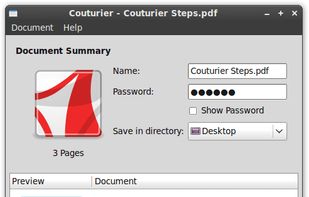
    Couturier is a PDF merge application for the GNOME Desktop. It allows to merge multiple PDF documents and images into one single PDF document.
    Cost / License

    • Free
    • Open Source

    Application type

    Platforms

    • Linux
     
  2. Copy a direct link to this comment to your clipboard

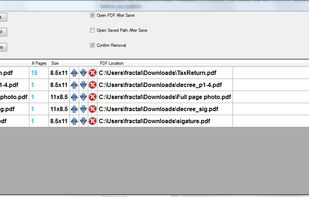
    PDF Merge is a simple user-friendly application that allows you to merge multiple PDF documents including scanned / imported documents and images into 1 PDF.
    Cost / License

    • Free
    • Proprietary

    Application type

    Alerts

    • Discontinued

    Platforms

    • Windows
     
  3. Copy a direct link to this comment to your clipboard

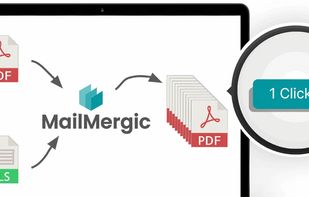
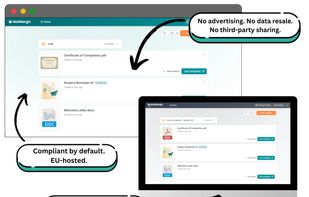
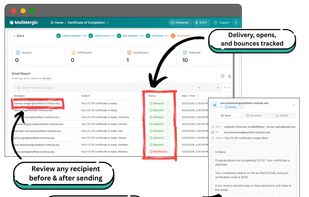
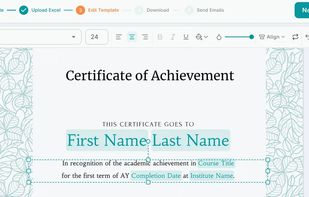
    Automatically fill PDF forms with data from an Excel list.

    Cost / License

    • Freemium (Subscription)
    • Proprietary

    Platforms

    • Online
    • Software as a Service (SaaS)
     
  4. GeekerPDF icon
     1 like
    Copy a direct link to this comment to your clipboard

    Edit and annotate PDFs by adding or deleting text, images, and annotations, manage pages with merging, splitting, extraction, and rotation, convert to and from Office formats and images using OCR, encrypt or decrypt files, apply watermarks and signatures, and more.

    Cost / License

    • Freemium (Pay once)
    • Proprietary

    Application type

    Platforms

    • Windows
    • Mac
     
  5. PDF Toolbox icon
     1 like
    Copy a direct link to this comment to your clipboard

    PDF Toolbox gives you the easiest way of editing PDF files without the need for expensive Adobe Acrobat software - saving you tons of money. PDF Toolbox integrates seamlessly with Click to Concert to provide a powerful PDF conversion and editing tool for your everyday needs.

    Cost / License

    • Paid
    • Proprietary

    Application type

    Platforms

    • Windows
     
  6. Copy a direct link to this comment to your clipboard

    XPS Annotator is designed to help you to manage XPS document very easily, and we include powerful features in the XPS Annotator, such as annotations, converter to convert XPS documents to image files, XPS document properties adder, digital signatures adder and much more.

    Cost / License

    • Free
    • Proprietary

    Platforms

    • Windows
     
  7. Copy a direct link to this comment to your clipboard

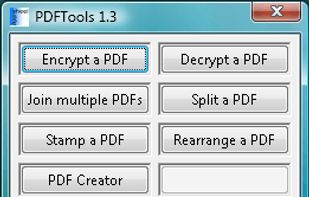
    Merge PDF files into a single document. Split PDF into multiple files following a custom pattern similar to Word printing. Combine encrypted PDF with just a few clicks.

    Cost / License

    • Freemium (Pay once)
    • Proprietary

    Application type

    Platforms

    • Windows
     
  8. Copy a direct link to this comment to your clipboard

    Perform operations on your PDF files. You can merge PDF files into one, or split PDF onto several parts. You can set password and user permissions, change metadata, and protect the content from copying. And finally you are able to modify your PDF.

    Cost / License

    • Free
    • Proprietary

    Application type

    Platforms

    • Windows
     
  9. PDF Mixer icon
     Like
    Copy a direct link to this comment to your clipboard

    PDF Mixer is a PDF page tool which mixes pages of 2 or more PDF files, add PDF pages into existing PDF files and save them to a new file. With this powerful tool, you can reorder, copy, rotate, delete, switch and merge pages in multiple PDFs easily.

    Cost / License

    • Free
    • Proprietary

    Application type

    Platforms

    • Windows
     
  10. PDF Cutter icon
     3 likes
    Copy a direct link to this comment to your clipboard

    PDF Cutter is a free PDF document splitting software, it can help you to quickly split PDF files. Software supports three splitting methods, you can choose according to your requirements, simple and easy to use.

    Cost / License

    • Free Personal
    • Proprietary

    Application type

    Platforms

    • Windows
     
  11. Copy a direct link to this comment to your clipboard

    Splits PDFs using single-page, range, group, or delete modes, merges files in any sequence with drag-and-drop, retains original formatting, supports password-protected content, intuitive navigation, unlimited usage, preserves output quality, and suits all experience levels.

    Cost / License

    • Freemium
    • Proprietary

    Platforms

    • Mac
    • Windows
     
  12. Copy a direct link to this comment to your clipboard

    PDFs Split & Merge is a lightweight application for your Mac. It helps you Split, Merge and Unlock PDF files within seconds and it's all offline. We respect your privacy.

    Cost / License

    • Freemium (Pay once)
    • Proprietary

    Application type

    Platforms

    • Mac
    • iPhone
    • iPad
     
You are at page 9 of Master PDF Editor alternatives