


Markwhen
17 likes
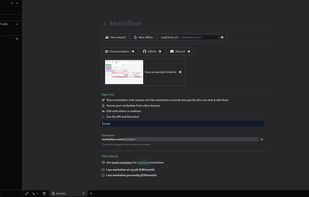
Interactive tool transforming Markdown-like text into cascading timelines. Supports date styles, images, links, offers multiple views like calendar, map, Gantt, and timeline, with features for editing, tagging, and real-time updates, for seamless personal or professional use.

Cost / License
- Free
- Open Source (MIT)
Application typeApplication types
Platforms
- Mac
- Online
- Self-Hosted
- Visual Studio Code
- Docker


Features

Highlights All activities
Markwhen News & Activities
Recent News
No news, maybe you know any news worth sharing?
Share a News Tip
Recent activities
- brianpeiris liked Markwhen
- forum-poster-69 liked Markwhen
 Atharv Rastogi added Markwhen as alternative to Magnifi Space



Developed by
 Markwhen
 Licensing
Open Source (MIT) and Free product.Alternatives
9 alternatives listedBadge
Get an embeddable badge for MarkwhenSupported Languages
AlternativeTo Categories
Office & Productivity, Business & Commerce, Remote Work & EducationGitHub repository
- 4,879 Stars
- 160 Forks
- 92 Open Issues
- Updated


Workplace
My setup.
List is ordered by estimated playtime.
Comments and Reviews
Nice. I love .md and this is nice feature, must integrate. I don't want to use complex Obsidian.