

Markdown Text Editor icon

Markdown Text Editor

A markdown editor that enhances your textarea instead of replacing it, so form submission, validation and required fields keep working.
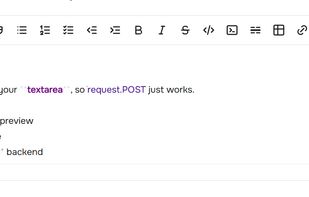
Hybrid WYSIWYG mode: headings, bold and lists render as you type while the raw Markdown stays visible underneath, so you always know what will be saved.

Cost / License

  • Free
  • Open Source (MIT)

Application type

Platforms

  • Self-Hosted
  • JavaScript
0likes
0articles
Save

Features

Properties

  1.  Distraction-free
  2.  Lightweight
  3.  Support for Themes

Features

  1.  No Tracking
  2.  Works Offline
  3.  Spell Checking
  4.  Full-Text Search
  5.  Live Preview
  6.  Support for MarkDown
  7.  WYSIWYG Support
  8.  Dark Mode
  9.  Extensible by Plugins/Extensions
  10.  No registration required
  11.  Syntax Highlighting

Markdown Text Editor News & Activities

Highlights All activities

Recent activities

Markdown Text Editor information

AlternativeTo Categories

Development, Office & Productivity

GitHub repository

  •  66 Stars
  •  10 Forks
  •  0 Open Issues
  •   Updated  
View on GitHub
Markdown Text Editor was added to AlternativeTo by nezanuha on and this page was last updated .

No comments or reviews, maybe you want to be first?

Official Links

What is Markdown Text Editor?

Markdown Text Editor turns a plain <textarea> into a full editing suite: a formatting toolbar, hybrid WYSIWYG mode that renders bold, italic and headings while keeping the raw Markdown underneath, live preview, find and replace, and keyboard shortcuts.

Unlike most markdown editors, it never hides the textarea. The original field stays visible and keeps its name attribute, so your form posts exactly as it always did — request.POST in Django, $request->input() in Laravel, params in Rails, req.body in Express. No sync code and no hidden inputs, required fields behave normally, and anything that reads the form directly (FormData, htmx, Turbo, Livewire, autosave) gets the real value rather than an empty string.

Unlike minimal textarea-based editors, it ships the full set: formatting toolbar, hybrid WYSIWYG, live preview, find and replace, image uploads and RTL support for Arabic, Urdu and Farsi — while the textarea stays in charge.

Dark mode comes from a single data-theme attribute. The preview is sanitised with DOMPurify and there are no inline event handlers, so it runs under a strict Content Security Policy. TypeScript definitions and a pluggable renderer are included.

Works standalone — no Frutjam, no Tailwind, no framework required. 51 KB gzipped, no dependencies, usable from npm or a CDN script tag.