MacDown 3000 Alternatives

MacDown 3000 is described as 'Free Markdown editor for macOS, available under the MIT License. It continues the legacy started by Chen Luo's Mou and carried forward by Tzu-ping Chung's MacDown' and is a Text Editor in the office & productivity category. There are more than 50 alternatives to MacDown 3000 for a variety of platforms, including Mac, Windows, Linux, Web-based and iPad apps. The best MacDown 3000 alternative is Typora. It's not free, so if you're looking for a free alternative, you could try ghostwriter or Marknote. Other great apps like MacDown 3000 are Hemingway Editor, MarkFlowy, Notepack and ReText.

Copy a direct link to this comment to your clipboard
MacDown 3000 alternatives page was last updated

Alternatives list

  1. SXMac icon
     1 like

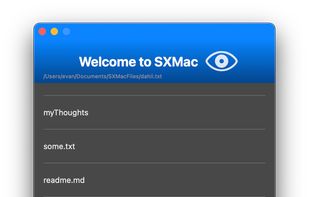
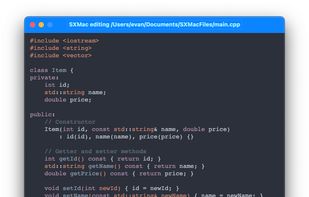
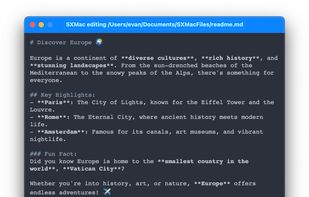
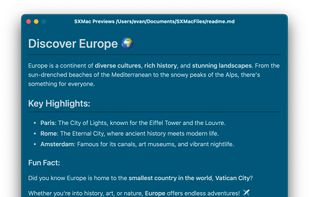
    SXMac is a light, notes like app that can be used as a rich text editor, markdown editor and preview, code editor with more than 100 supported languages. If you need specific files or anything else in one place.

    Cost / License

    • Free
    • Open Source

    Application types

    Platforms

    • Mac
     
  2. Norka icon
     4 likes

    Imagine a hassle-free text-writing experience. Don't worry about saving files, complex markup, or accidentally deleted notes.

    Cost / License

    • Free
    • Open Source (MIT)

    Application type

    Platforms

    • Linux
    • Flatpak
    • Flathub
    • Snapcraft
    • elementary OS
     
  3. MarkdownPad icon
     63 likes

    MarkdownPad is a full-featured Markdown editor for Windows. Features: LivePreview : Instantly see how your documents look in HTML as you create them. Easy formatting with keyboard shortcuts. Markdown formatting can be applied (and removed) with handy keyboard shortcuts and toolb.

    Cost / License

    • Freemium
    • Proprietary

    Application type

    Alerts

    • Discontinued

    Platforms

    • Windows
     
  4. Byword icon
     53 likes

    Byword is designed to make writing more enjoyable with Markdown on your Mac, iPhone and iPad.

    Cost / License

    • Paid
    • Proprietary

    Platforms

    • Mac
    • iPhone
    • iPad
     
  5. A beautiful markdown note-taking app for GNOME (forked from Paper).

    Cost / License

    Application type

    Platforms

    • Linux
    • Snapcraft
    • Flathub
    • Flatpak
     
  6. Super-clean writing space with a lot of configurability that stays out of sight when you don’t need it.

    Cost / License

    • Freemium
    • Proprietary

    Application types

    Platforms

    • Mac
    • iPhone
    • iPad
     
  7. Notepad App icon
     2 likes

    A markdown-based notes app for macOS, with simplicity and moderation.

    Cost / License

    • Free
    • Proprietary

    Application types

    Platforms

    • Mac
     
  8. Zen Editor icon
     1 like

    Zen by Unit is a free, minimal, fast, private writing app. Just open and use.

    Cost / License

    • Free
    • Proprietary

    Application type

    Platforms

    • Online
     
  9. Archimedes icon
     1 like

    Archimedes is a LaTeX and Markdown editor designed to make mathematical writing easy.

    Cost / License

    • Free
    • Proprietary

    Application type

    Platforms

    • Mac
    • iPad
     
  10. Writeopia icon
     3 likes

    Writeopia is a modern text editor that integrates AI while prioritizing offline functionality and user privacy. Unlike cloud-based AI assistants, Writeopia allows you to choose your own AI model and interact with it locally, ensuring that your data stays on your device.

    Cost / License

    Application type

    Platforms

    • Mac
    • Linux
    • Windows
     
  11. LightPaper icon
     12 likes

    LightPaper lets you write your documents/articles/blogs using powerful features such as markdown, folder navigator, real and live preview, shadow notes, multi-tabs, custom styles, distraction free mode, syntax highlighting, math rendering, full GFM support including GitHub...

    Cost / License

    • Paid
    • Proprietary

    Application type

    Platforms

    • Mac
     
You are at page 2 of MacDown 3000 alternatives