Luminance Studio is described as 'Pixarra product in the Studio series with a focus on painting with luminance for both natural media and design style of artwork' and is a digital painting tool in the photos & graphics category. There are more than 25 alternatives to Luminance Studio for a variety of platforms, including Windows, Mac, iPhone, iPad and Android Tablet apps. The best Luminance Studio alternative is Krita, which is both free and Open Source. Other great apps like Luminance Studio are Adobe Photoshop, Photopea, MyPaint and Clip Studio Paint.


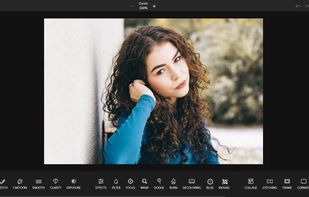
PhotoKit.com is integrated with a powerful online photo editor, smart brush, image quality enhancement, exposure repairment and image filters, splicing, cropping, transformation, painting, resizing, and can add text, shape, sticker, frame, round corners, etc.


Creating great drawings and getting your ideas down on digital paper is all about your headspace. Flow pages seamlessly expand as you draw and develop ideas, which means you keep your head in the clouds instead of managing documents.


Linea is an elegantly simple sketchbook for Apple devices optimized for use with Apple Pencil. It opts for a minimal interface with only the essential options, rather than overkill like many other apps.


JugiPaint is a painting software with diverse sets of tools for various types of illustration work. It provides many standard digital painting features like layers, brushes, selections, transformations, etc., as well as some less often like guide layers and panels.


Clover Paint is a feature rich painting app with deep complexity. With Clover Paint, you are bringing a sketchbook with customizable canvas size, highly sophisticated brush and layer system, plus custom hotkeys and shortcuts for productivity.


Pro Paint for Mac is the realistic full-featured digital art software that is used for painting, image editing, vector drawing, free-form transformation, cropping, alpha channel editing, and more specialized tasks.


Blazing fast Free online image editor tool to adjust brightness, contrast, hue, saturation, gamma etc. Drop your image in tool and start editing using image filter controls. No signup and no restriction to use this tool.

Graphiter is an easy to use, straight forward, and powerful Sketching App. Its aim is to reproduce a real life sketching workflow using simple tools, such as, a Graphite Pencil, a Blend tool and an Eraser.


ImEditor is a simple image editor, supporting PNG, JPEG, WEBP, BMP, and ICO file types. It offers several tools to easily modify an image.


MyBrushes Paint for Mac app allows you to paint on infinite canvas and PLAYBACK whole drawing.


COLOR projects is your reliable partner to develop enduring images as quickly as possible and with the least stress