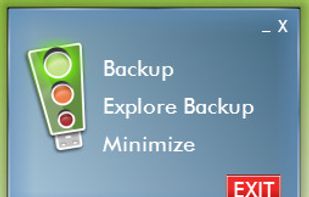
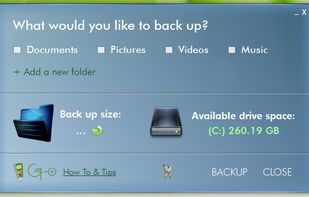
Easy to use backup program that can make an automatic backup during idle time of the computer. Built in restore function.
Cost / License
- Free
- Proprietary
Platforms
- Windows


lsyncd is described as 'Lsyncd watches a local directory trees event monitor interface (inotify or fsevents). It aggregates and combines events for a few seconds and then spawns one (or more) process(es) to synchronize the changes. By default this is rsync' and is an app in the backup & sync category. There are more than 50 alternatives to lsyncd for a variety of platforms, including Windows, Mac, Linux, Android and iPhone apps. The best lsyncd alternative is Syncthing, which is both free and Open Source. Other great apps like lsyncd are FreeFileSync, rsync, Unison File Synchronizer and SyncBack.
Easy to use backup program that can make an automatic backup during idle time of the computer. Built in restore function.


OneWaySynchronize is a Windows command line tool for backing up files from A (source) to B (destination). It will make sure that B is an exact copy of A, by copying files and overwriting and deleting files on B. The original A files are never modified in any way.

This program allows you to synchronize more than 2 folders with just few clicks. It's very simple, but you first must read the included documentation.


iGoUSB Backup is a portable plug'n use software solution that provides a simple, efficient and uncluttered way to save a copy of your computer files, documents, pictures, music and video files for the non-technical person.


WinDataReflector is a lightweight file synchronization and backup tool that wraps up fast file comparison and transfer algorithms into a simple and clear interface that offers you visual comparison of files and folders.


Lazy Mirror copies changes made to one or more sources and archives the previous versions of the copied files. If all storage allocated to a destination has been consumed, the oldest archives will be disposed off to make room for new files.

This is a program for copying files and folders in alphabetical order. Windows rarely copies files or folders in the order you would expect. And normally this isn't a problem.


Folder Snapshot Utility will make a copy of anything you throw at it. Any subsequent snapshot will happen much faster than a copy (up to thousands of times faster) and using much less disk space (perhaps even zero disk space, if nothing has changed).


O&O AutoBackup automatically synchronizes selected files and folders with an external backup device (USB Stick, external USB hard disk, FireWire volume). As an example, you can use O&O Auto backup to create a backup copy of your photo folder onto a USB stick and set it...