


Lore for Mac
Like
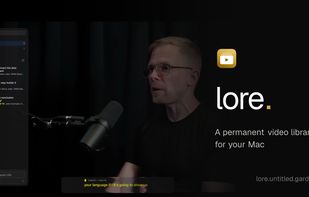
A permanent video library for your Mac. Search every word, highlight any moment. Distraction-free.
Cost / License
- Free
- Proprietary
Platforms
- Mac
Features
- No registration required
- Live Preview
- Support for Gestures
- Works Offline
- Dark Mode
- Ad-free
Youtube integration
Siri Integration
- Spotlight
- Video search
- Chapter detection
- Video annotation
- Integrated Search
- Support for Keyboard Shortcuts
- Drag and Drop
- Video library
SponsorBlock Integration
Lore for Mac News & Activities
Highlights All activities
Recent activities
POX added Lore for Mac as alternative to Flask, VideoMarkup, Tube Archivist and FreeTube- POX added Lore for Mac
Lore for Mac information
No comments or reviews, maybe you want to be first?
What is Lore for Mac?
A permanent video library for your Mac. Search every word, highlight any moment. Distraction-free.
Features:
- Highlights: Press h while watching to mark a moment. The editor shows the words just spoken: click where the moment begins, preview exactly that span, save it with a note and tags.
- Trackpad gestures: Two fingers ? ? : scrub the timeline, from anywhere on the video. Two fingers ?? on the left: raise or lower the volume. Two fingers ?? on the right: speed playback up or down.
- Search what was said: Search your whole library for anything that was said, and jump straight to the moment someone said it.
- A calm way through YouTube: Subscribe and search, without doomscrolling. Follow channels and their uploads gather in one feed, no algorithm steering you. All of it keyboard-driven, of course.
- Web ingest: Paste a link and it's archived: the video with its subtitles, chapters, and metadata, saved as one clean file that plays instantly, offline. Lore watches the clipboard too, so a link you copied while reading is one click from your library.
- Chapters, previews, SponsorBlock: The scrubber knows everything: chapter markers, a frame preview as you hover (even offline), and SponsorBlock segments skipped automatically and marked in green.
- Comments & video info: Top comments, like and view counts, and the description, right beside the video and kept current, so you never open a browser for context.
- Spotlight & Siri actions: Play, pause, skip, bookmark a moment, or archive a link, straight from Spotlight, Shortcuts, and Siri.
- Local import, nothing to install: Drag any video in, or press Cmd+O. It joins your library with a thumbnail and a searchable transcript, and formats like mkv and webm are converted on the way in, subtitles and all. No tools to install: the whole app works on your own files alone.
- Built for the keyboard: Drive the whole library from the keyboard. Maj+Cmd+F searches from anywhere, even another app or while the miniplayer floats; arrow through the results, and Cmd+number jumps straight to a collection. Play, seek, bookmark a moment, or export a clip without ever reaching for the mouse, and nothing plays until you press Return, so browsing never interrupts what's on screen. Every key is rebindable; press ? to see them all.


