
LockIn MCP icon
LockIn MCP icon

LockIn MCP

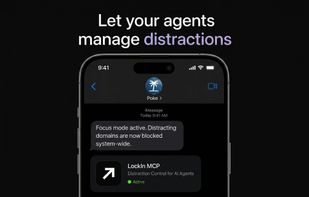
A distraction block built for the AI agent era. Rather than using a bypassable Chrome extension, you now just tell your favourite agent to block distractions for you, and it can do it natively.
LockIn MCP screenshot 1

Cost / License

  • Subscription
  • Proprietary

Platforms

  • Online
  • Software as a Service (SaaS)
  • Mac
  • Windows
  • Linux
  • Node.JS
3likes
0comments
0articles

Features

Properties

  1.  Distraction-free

Features

  1.  AI-Powered
  2.  Block Distraction
  3.  Cross-Platform
  4.  Stay Focused

LockIn MCP News & Activities

Highlights All activities

Recent activities

LockIn MCP information

  • Developed by

    BE flagLockIn MCP
  • Licensing

    Proprietary and Commercial product.
  • Pricing

    Subscription ranging between $1 and $2 per month.
  • Alternatives

    10 alternatives listed
  • Supported Languages

    • English
LockIn MCP was added to AlternativeTo by barleduc52 on and this page was last updated .
No comments or reviews, maybe you want to be first?

What is LockIn MCP?

LockIn MCP is the first distraction blocker built for the AI agent era. Rather than using a bypassable Chrome extension, you tell your favorite agent to block distractions for you, and it can do it natively with no bypassing, pure focus.

It avoids the UX friction of bloated dashboards by editing your system hosts file directly. It is a system-level distraction blocker that lets an AI assistant start focus sessions, block distracting domains, and manage timed unblocks through the Model Context Protocol.

A cross-platform daemon keeps blocks synced, handles temp-unblocks on a timer, and exposes MCP tools your assistant can call anytime. The technical elegance here is important: because the blocking happens at the hosts file level rather than through a browser extension, users cannot bypass it by opening a new tab or using a private window.

LockIn works across macOS, Linux, and Windows, and installation is simple: run npx -y lockin-mcp install — verify your license, pick sites to block, and connect MCP in minutes. It operates with a $9.99 lifetime license.

Key Features & Capabilities

  1. Distraction Blocking: LockIn edits your hosts file so YouTube, Reddit, and other sites stay blocked — even if you try to cheat in a new browser tab.

  2. AI Integration

It works with the AI tools you already use — Poke, Claude, ChatGPT, Perplexity, Gemini, and more via MCP. Your agent can naturally deny your requests to unblock if you still have tasks left to do, creating built-in accountability.

  1. Focus Session Management:

Example tools include block_site, unblock_temp, focus_session, and get_status. Users can create temporary unblocks with timers that automatically re-engage blocks.

  1. Focus analytics

While you work, LockIn MCP keeps track of your 'focus journey', making note of what sites you are using while being productive, which ones bring you out of your flow and more. After a while your agent learns your focus habits and helps improve productivity with custom plans.

LockIn MCP Videos

Official Links

