Local Music Organizer is a native macOS toolkit for collectors, DJs, audiophiles, and archivists who manage large local Music.app libraries and standalone audio files.
It helps you find duplicates and missing tracks, inspect metadata and artwork, compare playlists, analyze audio authenticity, preview files, normalize playback gain, diagnose library problems, and convert uncommon audio formats. No Apple Music streaming subscription is required, and processing stays on your Mac.
Built by a long-time music collector, Local Music Organizer grew from the practical challenges of maintaining a large archive assembled from CDs, vinyl transfers, downloads, rare releases, and collector exchanges.
Library Organization
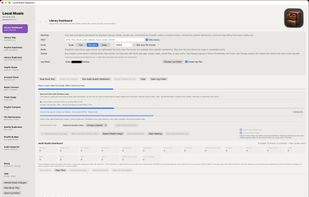
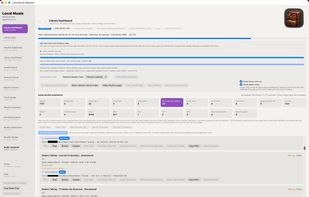
• Explore statistics for your complete Music.app library.
• Find duplicate tracks and duplicate playlist entries.
• Compare playlists and identify shared or unique recordings.
• Detect physical files referenced by multiple playlists.
• Search by artist, title, album, filename, path, comments, codec, and metadata.
• Reveal tracks in Finder or their Music.app playlists.
• Create shuffled playlist copies without modifying the originals.
• Compare duplicate recordings and identify the preferred version.
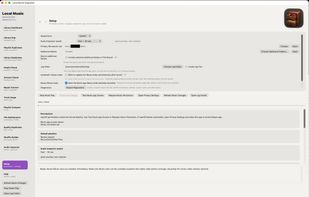
• Use a persistent local cache for faster work with large collections.
Audio Authenticity Analyzer
Analyze the complete cached Music.app library, a playlist, or an individual audio file.
• Detect possible lossy-to-lossless transcodes.
• Check lossless files such as ALAC, FLAC, WAV, and AIFF for signs of earlier MP3 or AAC sources.
• Compare declared bitrate with observed audio bandwidth.
• Detect possible sample-rate upscaling and bit-depth padding.
• Show confidence, detected cutoff, estimated source class, and an explanation for flagged tracks.
• Generate local analysis reports.
Results are technical estimates rather than absolute proof of a file's history. The analyzer never modifies source audio.
Audio Inspector & Live Spectrum
Inspect codec, container, bitrate, sample rate, bit depth, channels, duration, artwork, tags, waveform, and spectrum. Open standalone files by drag and drop, play them in an independent player, view a real-time 512-band spectrum and full-track waveform, and seek directly through the recording.
Diagnostics & Maintenance
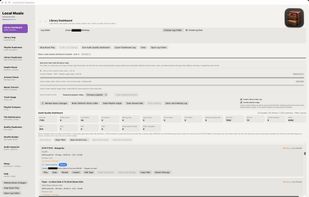
Detect missing files, inaccessible locations, unusual paths, damaged records, orphaned files, and missing artwork. Review Music.app comments, edit supported metadata, search physical audio files, and generate local diagnostic and operation reports.
Built-in Audio Conversion
Audio conversion tools are included with the app. No Terminal, Homebrew, external FFmpeg installation, or separate codec pack is required.









 Paul added Local Music Organizer as alternative to foobar2000, Mp3tag, MusicBrainz Picard, Kid3 and 47 more


Comments and Reviews
Developer update — Local Music Organizer 1.1.19 is now available.
This release includes a major update to the Live Spectrum Player, improvements to Library Index restore and large-library performance, refinements to Health Check and File Maintenance, and several reliability fixes.
I also fixed an issue where Music.app could repeatedly open Locate when a referenced local file was missing.
The user manual has been completely rebuilt from the ground up into a detailed illustrated guide covering the current tools, workflows, safety boundaries, and large local/offline Music.app library management.
LMO continues to follow the same principle: inspect first, understand the evidence, and only then make an explicit change.
Built by a collector, for collectors.