


LimanDoc
15 likes
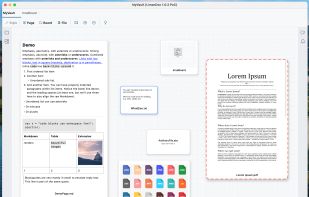
LimanDoc is a simple yet powerful tool for visualize files, diagrams, and construct a mind map with the possibility to edit Markdown text. It is an offline first desktop app with a 2D canvas that allows a preview of the inner folders (boards).

Cost / License
- Freemium (Pay once or Subscription)
- Proprietary
Application typeApplication types
 EU
EUAlerts
- Discontinued
Platforms
- Mac
- Windows
- Linux


Discontinued
LimanDoc has pivoted and become  Ipek
Ipek

Features

Highlights All activities
LimanDoc News & Activities
Recent News
No news, maybe you know any news worth sharing?
Share a News Tip
Recent activities
- Mauricio B. Holguin updated LimanDoc
- Nuru Nabiyev updated LimanDoc
- miau liked LimanDoc
 Paul added LimanDoc as alternative to SimplyBoard
 jackasser added LimanDoc as alternative to DrillSpark
- aandym liked LimanDoc




Developed by
 Nuru Nabiyev
 Licensing
Proprietary and Freemium product.Pricing
One time purchase that costs up to $34, and / or subscription that costs from $3 per month + free version with limited functionality.Alternatives
40 alternatives listedBadge
Get an embeddable badge for LimanDocSupported Languages


🧠 Mindmapping
A list with 8 apps by Keladeine without a description.
No comments or reviews, maybe you want to be first?