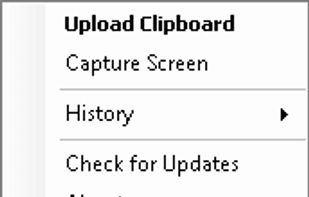
This is just a screen-capture toy, nothing more. If you don't know how to take screenshots with the system functions, use this tool :-).

Lightshot is described as 'Captures customizable screen areas, enables instant online upload, sharing via short URLs, quick edits, local saves, and seamless browser add-ons' and is a very popular screenshot capture tool in the photos & graphics category. There are more than 100 alternatives to Lightshot for a variety of platforms, including Windows, Mac, Web-based, Google Chrome and Linux apps. The best Lightshot alternative is ShareX, which is both free and Open Source. Other great apps like Lightshot are Flameshot, Greenshot, FastStone Capture and PicPick.
This is just a screen-capture toy, nothing more. If you don't know how to take screenshots with the system functions, use this tool :-).

Fii is a completely free online sharing application which brings visualization to your online conversation. You can show your co-worker, friend, teacher, boss, parents or whomever you want a part of your screen with a single mouse click.

Right click on any web page, frame or iframe, click "Save Page As Image..." and then resize the selection around the piece you want to save.


TeenyGrab is a free alternative to TinyGrab. TinyGrab is a popular application for quickly uploading screenshots, and sharing them. The only problem is, the full version (with features such as uploading to a custom FTP server) costs $$$.

Capture full pages, visible areas, selections, and batches of URLs. Annotate, edit, and export as PNG, JPG, or PDF.


Leawo Free Screen Recorder is a 100% free screen recorder combo, allowing you to record videos with up to 4K quality from screen, webcam, system sound or/and Microphone.


Page Screenshot for Safari is an awesome extension, just a click away, ready to use every time you need to capture a webpage screenshot, either the full page or just part of it.


Pixtick, an online application, can capture screenshot from browser. No download or installation required. Its having robust annotation tools to annotate and edit screenshots and images from hard drive or from web.


You grab Screens or Windows using the standard PrtScn and Alt-PrntScn keys and MGrab will intercept the saved data as it is sent to the clipboard and put it into your chosen folder as a BMP or JPG file leaving the clipboard free for you to take another screenshot.
Take web screenshots without exposing private data. Scramble website text, blur sensitive data and blackout text