
LeanRows icon
LeanRows icon

LeanRows

 Like

Open CSV files too big for Excel. LeanRows read a 20-million-row, 1.5 GB file at a peak of 18.4 MB of memory, sorts the whole file with one click, and runs from a single 1 MB program with nothing to install. Free and open source.
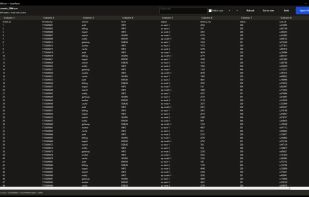
A 1.5 GB CSV with 20 million rows open in LeanRows, at a peak of 18.4 MB of memory.

Cost / License

  • Free
  • Open Source (MIT)

Since

  • New

Updated

  • Updated Nov 2026

Platforms

  • Windows
0likes
0articles
Save

Features

Properties

Features

Highlights All activities

LeanRows News & Activities

Recent activities

LeanRows information

AlternativeTo Category

Development

GitHub repository

  •  3 Stars
  •  1 Fork
  •  0 Open Issues
  •   Updated  
View on GitHub
LeanRows was added to AlternativeTo by abooodbah on and this page was last updated .

No comments or reviews, maybe you want to be first?

Official Links

Install from the command line

  • winget install -e --id abooodbah.LeanRows

Be careful what you paste into a terminal. Check what a command installs before running it.

What is LeanRows?

Open CSV files too big for Excel. Excel stops at 1,048,576 rows. LeanRows opens CSV, TSV, JSONL, NDJSON, log and text files of any size on Windows, plus Excel .xlsx workbooks one sheet at a time.

It never loads the whole file. A 1.5 GB CSV with 20 million rows was read to the end at a peak of 18.4 MB of memory, so it stays usable on a work laptop that is short on RAM.

Click a column header to sort the whole file, as text or as numbers. Hide columns you do not need, per tab, without changing the file. Search the whole file, jump to any row, and open several files as tabs. A single program of about 1 MB. No installer, no admin rights, no runtime. Read-only, so your file is never changed. No telemetry and no network access. Five themes, including two softer dark themes.

Free and MIT licensed. Install from the Microsoft Store, winget, Scoop or Chocolatey, or download the portable ZIP from GitHub.