CSVFileView icon
CSVFileView icon

CSVFileView

 10 likes

CSVFileView is a simple CSV file viewer/converter utility that allows you to easily view the content of CSV or tab-delimited file.
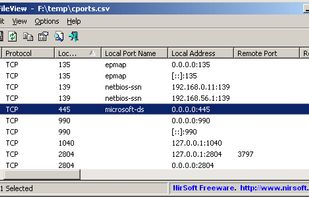
CSVFileView screenshot 1

Cost / License

  • Free
  • Proprietary

Since

  • Since 2016

Platforms

  • Windows
10likes
0articles
Save

Features

Properties

Features

Highlights All activities

CSVFileView News & Activities

Recent activities

CSVFileView information

Popular alternatives

View all

Our users have written 2 comments and reviews about CSVFileView, and it has gotten 10 likes.

CSVFileView was added to AlternativeTo by AlternativeSteve on and this page was last updated .

Comments and Reviews

   
endolith
0

Convenient interface, but can't handle large files.

yanyck
0

I use it as a general text viewer, as it allows to easily filter lines as you type.

[Edited by yanyck, December 31]

Review from a new or low-activity account — shown here, but not counted in the app rating.

Official Links

Install from the command line

  • winget install -e --id NirSoft.CSVFileView

Be careful what you paste into a terminal. Check what a command installs before running it.

What is CSVFileView?

CSVFileView is a simple CSV file viewer/converter utility that allows you to easily view the content of CSV or tab-delimited file created by NirSoft utilities or by any other software, in a simple table viewer. You can sort the lines according to one of the fields, remove unwanted fields and change their order, and then save the result back into CSV file, tab-delimited file, XML file, or HTML report.