


LaunchBay
Like
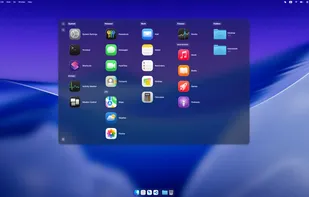
LaunchBay is the Forever-Free macOS Launchpad. It's more than just a customizable launcher and an efficient way to use macOS.
 China
China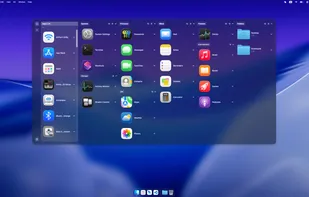

Features
- Works Offline
- No Tracking
- Dark Mode
- Launcher
- Application Launchers
LaunchBay News & Activities
Highlights All activities
Recent activities
 Punshnut added LaunchBay as alternative to Launchy.space
- POX added Application Launchers as a feature to LaunchBay
- potor updated LaunchBay
- potor updated LaunchBay
 potor added LaunchBay as alternative to AppGrid Launcher, LaunchOS and LaunchNow
 potor added LaunchBay as alternative to LaunchNext and Launchie
- potor updated LaunchBay
- potor updated LaunchBay



LaunchBay information


No comments or reviews, maybe you want to be first?
What is LaunchBay?
The core of the app is a forever-free Launchpad that lets you:
- Create custom columns for your apps.
- Resize app icons and columns to fit your screen.
- Customize colors to match your theme.
- Set hotkeys to launch your most-used apps instantly.
- Add folders and files for quick access.
But it's more than just a launcher. I also added a few powerful window management features that have changed how I work:
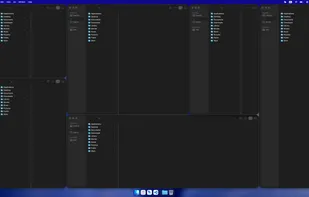
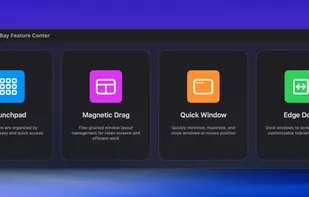
- Magnetic Window Snapping: Instead of preset zones, LaunchBay uses a fine grid (like 8x8 or 10x10). When you move or resize a window with a hotkey, it magnetically snaps to the grid lines. This lets you create perfectly aligned, gapless layouts of any shape you want. It's like Magnet, but with more freedom.
- Edge Docking: Use a hotkey to "hide" any window off the edge of the screen. It leaves a thin line, and when you mouse over it, the window slides back out. It's like the auto-hiding Dock, but for any window.
- Quick Window Actions: Double-tap Control, Option, Shift, or Esc to instantly minimize, maximize, restore, or close the window your cursor is over.