





Label Printer
Like
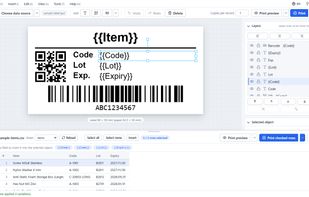
Open-source Windows label designer that merges Excel, CSV or database records into barcode and QR code labels and batch-prints them to thermal printers or A4 sticker sheets.

Cost / License
- Free
- Open Source (MIT)
Since
- New


Features

Highlights All activities
Label Printer News & Activities
Recent activities
 Mauricio B. Holguin added Label Printer as alternative to Foxy Labels, NiimBlue, Labelle, ThermalPrint and 21 more
- YU HAO HUANG added Label Printer
- Mauricio B. Holguin updated Label Printer
- Mauricio B. Holguin updated Label Printer
- YU HAO HUANG updated Label Printer
 YU HAO HUANG added Label Printer as alternative to NiceLabel and Bartender


Developed by
 b51.tw
Licensing
Open Source (MIT) and Free product.Written in
Alternatives
26 alternatives listedBadge
Get an embeddable badge for Label PrinterSupported Languages

AlternativeTo Category
Office & ProductivityGitHub repository
- 0 Stars
- 0 Forks
- 0 Open Issues
- Updated


No comments or reviews, maybe you want to be first?