


Kubuntu
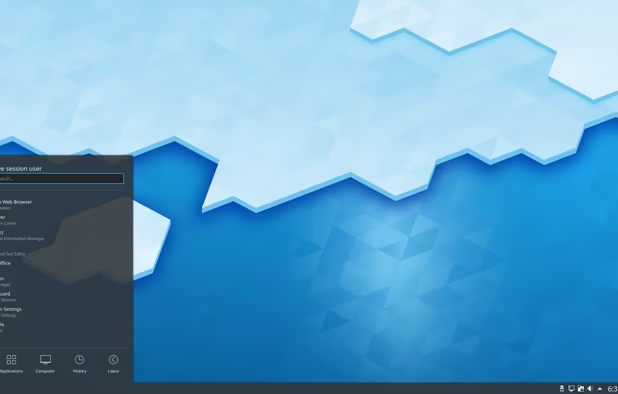
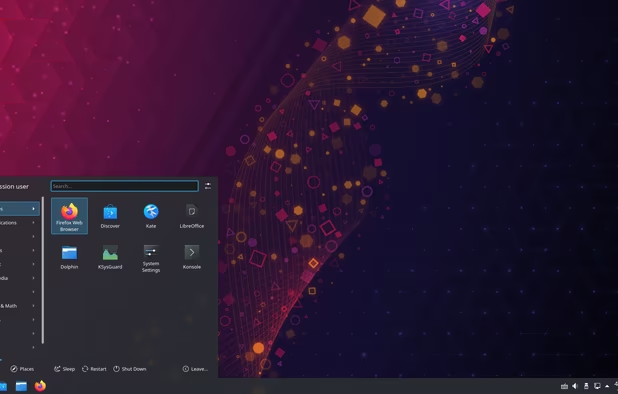
Kubuntu is an official "flavor" of Ubuntu that uses the KDE Plasma desktop environment. This gives it a completely different look and feel.

Features
Properties
- User friendly
- Customizable
- Privacy focused
- Lightweight
Features
- Based on Ubuntu
- KDE
- Based on Debian
- Ad-free
- Plasma based
- No Tracking
- Works Offline
- No registration required
- Dark Mode
- Rolling Release
- Desktop Application
Kubuntu News & Activities
Recent News
- Fla published news article about Kubuntu
 Kubuntu 25.10 shifts to Wayland by default, drops X11 in new installs
Kubuntu 25.10 will no longer include X11 as the default session for new installations, switching to...
- Maoholguin published news article about Ubuntu
 Ubuntu 25.04 Plucky Puffin launches with new kernel, GNOME 48, ARM64 support, and more
Ubuntu 25.04 "Plucky Puffin" has officially launched following its beta stage a few weeks ago. This...
- POX published news article about Ubuntu
 Ubuntu 24.10 “Oracular Oriole” beta released with Linux Kernel 6.11, GNOME 47, and more
Canonical has announced the beta release of Ubuntu 24.10, code-named “Oracular Oriole”. This versio...


Recent activities
 AnonUser added Kubuntu as alternative to Ageless Linux
 POX added Kubuntu as alternative to VitruvianOS
 Marco-M-Mariani added Kubuntu as alternative to MODICIA O.S.


Featured in Lists

## THIS LIST HAS BEEN DELETED DUE TO A BUG, SO IT MISSES SOME HONORABLE MENTIONS ! I've been using Linux for a …
How are you? In this list I bring you a variety of alternative software to those from Microsoft, and also that these …

Choose freedom and continued democracy by switching away from big tech in your personal digital lives. Not all apps …
What is Kubuntu?
Kubuntu is an official "flavor" of  Ubuntu that uses the
  KDE Plasma desktop environment. This gives it a completely different look and feel.
Kubuntu was sponsored by Canonical Ltd. until 2012, and then directly by Blue Systems. Now employees of Blue Systems contribute upstream, to KDE and Debian, and Kubuntu development is led by community contributors. During the changeover, Kubuntu retained the use of Ubuntu project servers and existing developers.
Kubuntu Videos
Kubuntu information
Developed by
 Canonical
 Licensing
Open Source and Free product.Rating
Average rating of 4.5Alternatives
209 alternatives listedNews
6 news article related to KubuntuSupported Languages
- English


Comments and Reviews
The aesthetics are more familiar for myself than vanilla Ubuntu, plus I use a ton of KDE apps like Krita and
  Kdenlive which feel native here. Most importantly for me though, there's a KDE extension for live wallpaper that feels native as well. It works seamlessly across multiple desktops and has no issues with compositor effects unlike previous attempts. Not everyone likes video as their desktop wallpaper, but it's a nice feature and one that can potentially improve the desktop experience substantially. For example, someone new to Linux could have a video on their desktop that highlights keyboard shortcuts or shows helpful commands for the terminal.
Unfortunately, many KDE extensions are now buggy or old enough that they don't work anymore. KDE also seems to have a few extra issues with bugs that Gnome doesn't share. For myself at least, it's all drastically improved since KDE's earlier days. KDE's now receiving significant attention through funding so the future looks especially bright.
[Edited by Ugotsta, November 01]
[Edited by Ugotsta, November 01]
In order to get most of the packages, users need to resort to LTS versions.
Just like Ubuntu and Mint.
A distro I would recommend (next to Mint and Zorin) for those coming from Windows.
I tried various Linux distributions and this was the first one which reliably did everything I wanted, mostly out of the box, allowing me finally to make the switch from Windows. It has sensible defaults and feels familiar to a former Windows user. I might migrate to more technical linux distributions in the future, but for somebody who isn't super comfortable installing apps via the command line or debugging esoteric settings just to get a trackpad scrolling in the way I like, Kubuntu seems pretty great.
I have switched from Windows OS long time ago and Kubuntu is still my favorite Linux distro. Fast. simple, stable powerful. I can recommend Kubuntu as your first Linux OS.
When choosing a distribution (=a flavor of Linux) the DE (Desktop, look) and the base distro are important.
KDE Desktop: Very customizable, modern, Windows7-11 like interface (with the best of all choosable and customizable). You can make it look like any other DE pretty much or however you want. A lot of awesome presets can be downloaded.
Ubuntu Distro: More modern than Debian, support for the most common .deb Linux install file, Flatpak and Snap support in Discover, very big user base, best app support I would say
KDE Apps: some gems here, Dolphin Explorer, Krita Image Editing and drawing, Kate Editor, lots more
When switching to Linux, choose this distro as your first. You will have the least struggles with application support, the UI is similar to Windows but more customizable and the Distro is pretty stable but also modern with important updates.
Regular Ubuntu with (modified) Gnome Desktop may have less to no bugs, but thats because of the lack of customizability. Gnome is very MacOS / Android like, so choose this when migrating from that.
the best performance / eye candy ratio. Has everything working.