Kori - A Unified Note-Taking Experience for All Platforms with AI Capabilities.
Kori is an evolution of Open Note, aiming to provide a consistent note-taking experience across all platforms.
? Key Features
Kori is packed with features designed to enhance your productivity and creativity:
?? Multi-Format Support: Unleash your ideas with comprehensive support for various formats, including Drawing, Markdown, TXT, LaTeX, Mermaid diagrams, and organized Todo.txt lists.
💻 Truly Cross-Platform: Enjoy a unified experience whether you're on Android, iOS, Windows, macOS, or Linux. A Web version is also planned for the future.
🤖 Intelligent & Optional AI Co-writer:
- Boost your writing with deeply integrated AI capabilities for content generation, summarization, rewriting, and more.
- Connect to a wide range of large language models (LLMs) from providers like Google, OpenAI, Anthropic, and DeepSeek using your own API keys.
- Flexibly use self-hosted models (e.g., Ollama, LMStudio) by configuring the base URL.
- All AI features are entirely optional. You can completely disable all AI functionalities.
Advanced Capabilities:
- Note SideSheet: Automatically generates a note outline based on heading levels, allowing you to click and scroll to the corresponding section. Displays **word count, line count, and more ** at a glance.
- Find and replace: The note is too long and you can't find the location of a certain text? Want to modify it in batches but it's too annoying to edit one by one? Try this feature.
- Note Templates: Insert notes from the "Templates" folder as templates, with automatic date and time formatting.
- Local Image, Video and Audio Support: Directly import local images, videos and audio from the device into notes, with in-app preview.
Additional Features:
- Accept Shared Text: The app can directly receive text shared from other applications and create a new note with it.
- Directly Open Documents: The app can be selected as handler for various text document types ( such as .txt, .md, and .html), allowing them to be opened directly and converted into notes.
- Export Options: Notes can be exported in various formats, including TXT, Markdown, PDF, and HTML, for versatile sharing and usage.
- Material 3 Expressive Design: Adheres to Material Design 3 Expressive guidelines for a modern and cohesive user interface.
- Comprehensive Mouse and Keyboard Support: The app has been thoroughly adapted for seamless interaction with mice and external physical keyboards.
- Responsive Design: Optimized for various screen sizes and device orientations.
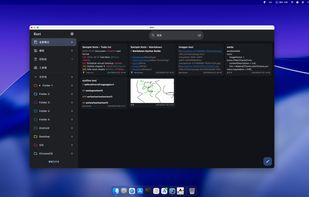
🖼? Screenshots




 Darlene Sonalder added Kori as alternative to FireflyNotes
 Krazyplays added Kori as alternative to Material Notes
 MDTools added Kori as alternative to MyEncryptedNotes


 YangDai2003



No comments or reviews, maybe you want to be first?