Kivvie icon
Kivvie icon

Kivvie

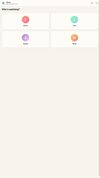
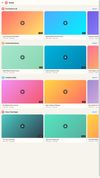
Kivvie is a whitelist-only YouTube app for kids. Parents approve specific YouTube channels, and children only see videos from those channels, with no Shorts, comments, or algorithmic recommendations.
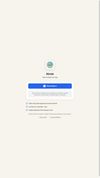
Kivvie screenshot 1

Cost / License

  • Freemium (Subscription)
  • Proprietary

Platforms

  • Online
  • Android
  • iPhone
  • Android Tablet
  • iPad
  • Android TV
0likes
0comments
0articles

Features

No features, maybe you want to suggest one?

Kivvie News & Activities

Highlights All activities

Recent activities

Kivvie information

  • Developed by

    AU flagM2V2 Solutions PTY LTD
  • Licensing

    Proprietary and Freemium product.
  • Pricing

    Subscription that costs $5 per month + free version with limited functionality.
  • Alternatives

    3 alternatives listed
  • Supported Languages

    • English
Kivvie was added to AlternativeTo by Kivvie on and this page was last updated .
No comments or reviews, maybe you want to be first?

What is Kivvie?

Kivvie — Safe YouTube Streaming for Kids

YouTube has amazing content for children — but it also has everything else. Kivvie puts parents back in control by letting you choose exactly which YouTube channels your kids can watch. Nothing more, nothing less.

How It Works

Sign in with your Google account Search and whitelist YouTube channels you trust Hand the device to your child — they only see what you've approved

It's that simple.

Built for Parents

Channel Whitelisting — Only approved channels appear in your child's feed. No algorithm, no surprises. Multiple Child Profiles — Customize approved channels for each child based on their age and interests. Block Shorts & Comments — Toggle off YouTube Shorts and comments section so kids stay focused on full-length, quality content. Web Dashboard — Manage channels, profiles, and settings from your computer at any time. Real-Time Sync — Changes you make on the web dashboard instantly reflect on your child's device.

Built for Kids

Simple, Distraction-Free Interface — No search bar, no recommendations, no rabbit holes. Just the channels you picked. Offline Support — Cached content available even without an internet connection. Kid-Friendly Design — Easy to navigate for even the youngest viewers.

Why Kivvie? Other parental control apps try to filter the entire internet. Kivvie takes the opposite approach: nothing gets through unless you explicitly allow it. This whitelist-only model means you never have to worry about what slipped past a filter.

Your kids get the YouTube content they love. You get peace of mind.

Official Links