





Kakuremi
1 like
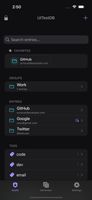
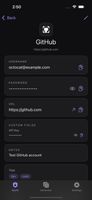
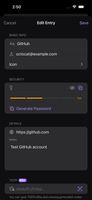
Local-first KeePass (KDBX) password manager for iPhone and iPad - offline, AutoFill, Face ID, and free YubiKey NFC unlock on iPhone.


+3

Cost / License
- Freemium (Pay once or Subscription)
- Proprietary
Application type
Platforms
- iPhone
- iPad

Features
Kakuremi News & Activities
Highlights All activities
Recent activities
- springhiker updated Kakuremi
- springhiker updated Kakuremi
- springhiker updated Kakuremi
- springhiker added End-to-End Encryption as a feature to Kakuremi
- springhiker thinks Keepass compatible is a important feature of Kakuremi
- springhiker thinks No Tracking is a important feature of Kakuremi
- springhiker thinks Time-based One-time Password is a important feature of Kakuremi


Kakuremi information
Developed by
SPRING HIKER CORP.Licensing
Proprietary and Freemium product.Pricing
One time purchase that costs $50, and / or subscription ranging between $1 and $3 per month + free version with limited functionality.Alternatives
4 alternatives listedBadge
Get an embeddable badge for KakuremiSupported Languages
AlternativeTo Categories
Security & Privacy, Backup & SyncApple AppStore
- Updated
- 0 avg rating


No comments or reviews, maybe you want to be first?