Jackdaw replaces three menu bar utilities with one. A single hotkey (Ctrl-Cmd-V) opens one overlay holding a searchable clipboard history, a drag-and-drop file shelf, and on-device dictation.
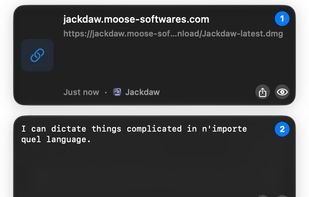
Clipboard history captures everything you copy and makes it instantly searchable. Clips can be previewed, edited in place before pasting, and pinned for reuse. Rich text, links, images and files keep their formatting through the round trip.
The file shelf gives you somewhere to put files while you move them. Drop files in, gather more from other windows, then drag them all out at once, without having to keep two windows visible at the same time.
Dictation turns speech into text in any app. It runs locally on the Mac, so the audio never leaves the device.
Everything runs on-device. There is no account, no cloud sync and no telemetry. You can name apps that Jackdaw must never watch, such as password managers or banking apps, and password-like copies are detected, masked, and never shown in previews.
Jackdaw is written in native Swift and SwiftUI on a Rust core, and adopts the macOS Liquid Glass materials on systems that support them. It requires macOS 26 or later on Apple silicon and is available in English, French, Spanish, German and Simplified Chinese.
Since version 1.5, Jackdaw also writes a short private description of each clip with Apple Intelligence and tags clips automatically, so they can be found by describing them instead of remembering the exact words. There is a 14-day free trial that needs no account and no card, followed by a one-time perpetual licence.





 EU


 Moose Softwares



No comments or reviews, maybe you want to be first?