Free Cam Alternatives

Free Cam is described as 'Is free screen recording software for Windows that lets you easily capture all or part of your screen, record your voice & mouse clicks, then edit your video and save it to your computer or share it instantly on YouTube' and is a screenshot capture tool in the video & movies category. There are more than 100 alternatives to Free Cam for a variety of platforms, including Windows, Mac, Web-based, Linux and Android apps. The best Free Cam alternative is OBS Studio, which is both free and Open Source. Other great apps like Free Cam are SimpleScreenRecorder, Bandicam, FastStone Capture and VokoscreenNG.

Copy a direct link to this comment to your clipboard
Free Cam alternatives page was last updated

Alternatives list

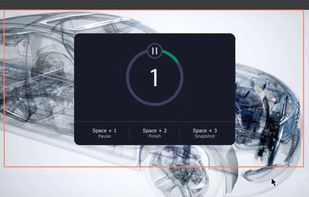
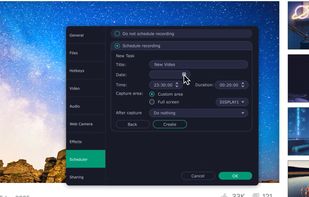
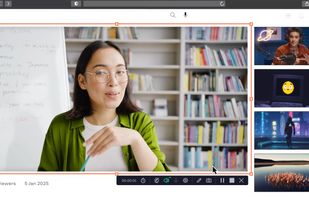
  1. Versatile screen recording and live streaming tool, broadcasting to over 30 platforms. Enhances streams with stickers, templates, and images. Supports lectures and games, offers scheduled recording and operates as a virtual camera for meetings.

    Cost / License

    • Paid
    • Proprietary

    Application type

    Platforms

    • Mac
    • Windows
     
  2. ScreenCam icon
     17 likes

    ScreenCam is a free and open-source Android app to record screen using native API and without root. It can record sound from the speaker and is configurable, letting you change the recording format and location of save files among other options.

    Cost / License

    Application type

    Alerts

    • Discontinued

    Platforms

    • Android
    • F-Droid
     
    |
    1
    Discontinued

    The latest update is from 2018.

    ScreenCam vs Free Cam Comments
    Guest
    Positive
    0

    Useful and very easy tostudies

    • ScreenCam is Free and Open SourceFree Cam is Freemium and Proprietary
    • ScreenCam is LightweightFree Cam is not according to our users
  3. A lightweight, native Android screen recording application built with Kotlin. It leverages Android's MediaProjection API and provides a beautiful, non-intrusive floating pill overlay inspired by Samsung's One UI 8.

    Cost / License

    • Free
    • Open Source (MIT)

    Application type

    Platforms

    • Android
    • F-Droid
     
  4. Record full screen or customized areas with webcam options. Annotate in real time, highlight cursor actions, and record both system and voiceover audio. Ideal for creating instructional videos, webinars, and presentations. Free for personal use, compatible with PCs.

    Cost / License

    • Paid
    • Proprietary

    Platforms

    • Mac
    • Windows
     
  5. Screencastify icon
     17 likes

    A Chrome extension for capturing, editing and sharing screencasts. Save recordings automatically to your Google Drive or publish directly to YouTube.

    Cost / License

    • Freemium
    • Proprietary

    Platforms

    • Google Chrome
     
  6. Screencast Capture Lite is a tool to continuously capture the desktop screen, storing this information in video files. The application supports recording from the primary screen, from a chosen window or from a fixed region.

    Cost / License

    • Free
    • Open Source

    Alerts

    • Discontinued

    Platforms

    • Windows
     
  7. oCam icon
     24 likes

    oCam is a video recording program that can record video to be played on the monitor via your PC.

    123 oCam alternatives

    Cost / License

    • Free Personal
    • Proprietary

    Application type

    Alerts

    • Bundleware

    Platforms

    • Windows
     
  8. Krut icon
     15 likes

    Krut is a screencast tool that is written in Java and well suited for making video tutorials (instructional videos) on most platforms. Krut records movie files, including sound, of selected parts of your screen. The files use the quicktime mov format.

    Cost / License

    • Free
    • Open Source

    Alerts

    • Discontinued

    Platforms

    • Windows
    • Linux
     
  9. ffscreencast icon
     2 likes

    ffscreencast is an ffmpeg screencast/desktop-recording tool for the command-line with video overlay and multi monitor support.

    Cost / License

    • Free
    • Open Source (MIT)

    Alerts

    • Discontinued

    Platforms

    • Mac
    • Linux
     
  10. Screenflick icon
     7 likes

    Screenflick features high performance screen capturing for smooth, fluid motion up to 60 fps. Screenflick can record any portion of the screen, simultaneously recording audio from internal or external microphones and the system audio.

    Cost / License

    • Paid
    • Proprietary

    Platforms

    • Mac
     
You are at page 4 of Free Cam alternatives