
Ink Studio icon
Ink Studio icon

Ink Studio

 Like

Ink Studio is a free, open-source desktop application for digital painting, manga, webtoons, and frame-by-frame animation. It provides a GPU-accelerated brush engine, raster and vector layers, manga paneling and a 3D pose reference viewport, and built-in real-time collaborative drawing.
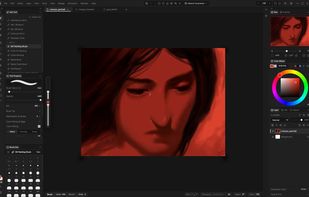
Ink Studio screenshot 1

Cost / License

Application type

Since

  • New

Platforms

  • Windows
0likes
0articles
Save

Features

Properties

Features

Highlights All activities

Ink Studio News & Activities

Recent activities

Ink Studio information

AlternativeTo Category

Photos & Graphics

GitHub repository

  •  0 Stars
  •  0 Forks
  •  0 Open Issues
  •   Updated  
View on GitHub
Ink Studio was added to AlternativeTo by praisesora on and this page was last updated .

No comments or reviews, maybe you want to be first?

Official Links

What is Ink Studio?

Ink Studio is a free and open-source (GPL-3.0) desktop application for digital painting, manga, webtoons, and frame-by-frame animation, featuring built-in real-time multiplayer.

Key Features:

  • WebGL-Accelerated Brush Engine: Supports pen pressure, tilt, velocity, taper, dual brush tips, paper textures, color mixing, wet edges, stroke stabilization, and customizable pressure curves. Includes built-in Pen, Sketch, and Brush presets, and supports importing Clip Studio Paint (.sut) brush files.
  • Layers & Compositing: Sparse-tile raster layers, editable vector layers (pinch, width, and simplify tools), layer folders, clipping masks, non-destructive layer masks, layer styles (stroke, drop shadow, outer glow), 17 blend modes, adjustment layers (Curves, Levels, Gradient Map, Color Balance), tonal corrections, filters (Gaussian Blur, Motion Blur, Unsharp Mask, Film Grain), and Color / Grayscale / 1-bit Monochrome expression modes.
  • Manga & Webtoon Creation: Dedicated frame border folders and panel splitting, parametric speech balloons, horizontal and vertical typography, screentones, manga effect lines generator, 1/2/3-point perspective rulers with brush snapping, a 9:16 Webtoon viewport simulator, and Webtoon chapter slice export (.zip).
  • Embedded 3D Reference Viewport: Built-in Three.js 3D viewport featuring a posable IK mannequin, pose presets, .glb / .gltf / .obj model import, adjustable lighting, camera-to-perspective-ruler synchronization, and raster or line-and-tone (LT) baking.
  • Cel Animation & Time-Lapse: Frame-by-frame animation timeline with onion skinning (exportable to GIF, APNG, WebM, MP4, or PNG sequence .zip) and stroke-based time-lapse recording (exportable to WebM or H.264 MP4 when FFmpeg is available).
  • Real-Time Multiplayer Collaboration: Integrated Rust (Axum) WebSocket server supporting up to 16 concurrent peers over LAN or publicly via an optional Cloudflare Tunnel. Includes live cursors, tile-level synchronization, layer reservation, and browser-based guest access via an invite link without requiring guests to install the desktop app.
  • Workspace & Reliability: Dockable panels with workflow presets (Illustration, Manga, Minimalist Tablet, Custom), Navigator, Sub View reference panel, Quick Access, Auto Actions, CMYK soft proofing with gamut warning, customizable shortcuts and modifier keys, an LZ4-compressed scratch disk, and WAL-based crash recovery.

Supported File Formats:

  • Open: .sora, .ink, .psd, .psb, .clip, .csp, .png, .jpg, .webp, .gif, .bmp, .svg
  • Save / Save As: .sora, .ink (native layered project), .psd (layered), .png, .jpg, .webp
  • Import: .sut (Clip Studio Paint brushes), .glb, .gltf, .obj (3D models)
  • Export: .png, Webtoon chapter slices (.zip), Animation (.gif, .apng, .webm, .mp4, .zip), Time-lapse (.webm, .mp4)

Platform Availability: Prebuilt, code-signed Windows installers (with automatic in-app updates) are available on GitHub Releases. macOS and Linux binaries can be built from source.