





Image Pipeline
9 likes
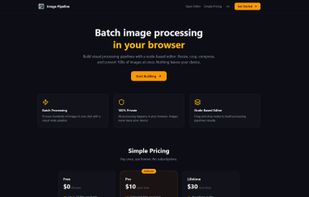
Node-based batch image processor that runs entirely in your browser. No signup, no uploads to cloud — your images never leave your device. Build visual pipelines (Load ? Resize ? Crop ? Compress ? Export), process hundreds of images in one click, download as ZIP.

Cost / License
- Freemium (Pay once)
- Proprietary
Application typeApplication types
Platforms
- Online


Features
Highlights All activities
Image Pipeline News & Activities
Recent activities
 Yassine B added Image Pipeline as alternative to ImageFlow.dev
 Serious Goose added Image Pipeline as alternative to PhotoSuite
 Paul added Image Pipeline as alternative to PhotoFlare Studio
 Tosief Abbas added Image Pipeline as alternative to GeoImageTagger
- candida liked Image Pipeline
- vimarkart replied to a comment / review on Image Pipeline
- vimarkart replied to a comment / review on Image Pipeline
I really like the idea of processing images entirely in the browser. Not having to upload files to a cloud service is a big plus for both privacy and speed, especially when working with large batches of photos. Best of luck with the project—looking forward to seeing how it develops.
- Viktor Korobov liked Image Pipeline


Developed by
Maxim MitenkovLicensing
Proprietary and Freemium product.Pricing
One time purchase (perpetual license) that costs up to $30 + free version with limited functionality.Rating
Average rating of 4.2Alternatives
9 alternatives listedBadge
Get an embeddable badge for Image PipelineSupported Languages


Comments and Reviews
I really like the idea of processing images entirely in the browser. Not having to upload files to a cloud service is a big plus for both privacy and speed, especially when working with large batches of photos. Best of luck with the project—looking forward to seeing how it develops.
Thanks Viktor! 🙏 Privacy was the #1 reason I built this — as an illustrator, I was tired of uploading client work to cloud services just to resize a batch. Glad it resonates. What node would you want to see next?
Not very good. The image preview is tiny so you can't tell what is actually happening to the image, and it's missing basic features like an ability to change the brightness, exposure, contrast. The pipeline looks like it allows you to set up multiple export stages in different formats and different sizes, but then when you actually try to export, you only get one exported file. The free plan limits you to 10 images per day and a maximum of 10mb per image. If you are using this to cut down on image size for example it could be a non-starter. There are better tools for free.
Update: After the creator messaged me and has said they updated the tool, here's my second attempt at using it.
I tried creating a workflow which went Load image export png crop contrast brightness export smaller jpg.
When I tried to process the image, it seems the process terminated after the first export instruction, so I only got the first png, not the jpg with the effects applied. The preview is somewhat better but still not good. I now get a ~150px square preview side by side of the original image and the image with the effect applied (but not with multiple effects stacked). Really because it's working with images I want to see the full size image with the effect. For a good example of what I mean, look at the squoosh image tool: https://squoosh.app/. When I included the "crop" feature, the preview image for the next stage was broken (it looks like a very thin slice of the image, not the part which I cropped)
The usage limit also seems to be broken. I was told that I had reached the limit of the free tier after processing just one image. Oh, also it seems that the only way to pay for the full tool is via crypto.
Overall honestly it's still very buggy, seems to be ai coded features just tacked on and has not undergone any significant user testing. I do not consider this a tool which is usable yet, let alone worth paying for. These are just the faults I found using the tool one time, in 10 minutes. I'm sure there are more.
Hi isaacsgraphic2, thanks for taking the time to try it and write this up — really appreciate the honest feedback.
You're absolutely right on a few points:
• Brightness / Exposure / Contrast nodes are missing — they're at the top of the roadmap and should ship within the next 2 weeks. • The preview is too small for serious work — we're adding a full-size compare mode (before/after slider) in the next update. • Export behavior: if you set up multiple Export nodes, each should output its own file in the ZIP. If that's not happening, it's a bug — would love to know your pipeline setup so we can reproduce and fix it.
On the free plan limits: 10 images/day and 10MB each is the browser storage ceiling for the free tier. The Pro tier removes both limits entirely.
Would you be open to trying it again once the brightness/contrast nodes land? I'll drop a note here when they're live.
— Max
Hi! Just wanted to share — since your review I've shipped all the features you asked for (Brightness/Contrast/Exposure, bigger preview, fixed Multiple Export) and already got a 5★ from another user for the privacy-first approach. Would love if you could give it another try when you have a moment.