


HTML Table Exporter
Like
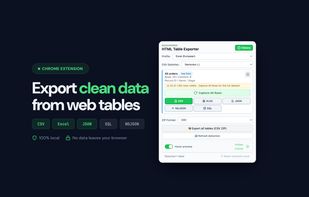
Detect and export HTML tables to CSV, Excel, JSON, NDJSON or SQL. Automatic cleaning, reusable profiles, and 100% local processing: your data never leaves your browser.

Cost / License
- Freemium (Subscription)
- Proprietary
Platforms
- Microsoft Edge
- Google Chrome
- Opera
- Brave


Features


HTML Table Exporter News & Activities
Highlights All activities
Recent activities
- circobit updated HTML Table Exporter
 circobit added HTML Table Exporter as alternative to Instant Data Scraper, Table to Excel and TableTools2
- circobit added HTML Table Exporter

HTML Table Exporter information
Developed by
 GauchoGrid
 Licensing
Proprietary and Freemium product.Pricing
Subscription ranging between $19 and $149 per month + free version with limited functionality.Alternatives
4 alternatives listedBadge
Get an embeddable badge for HTML Table ExporterSupported Languages


No comments or reviews, maybe you want to be first?