HotShots Alternatives

HotShots is described as 'Hotshots is a screenshot tool with some editing features. It is particularly suitable for writing documentation (as used in the following chapters) but you can use it to highlight some details on a map image or what ever you want' and is a screenshot capture tool in the photos & graphics category. There are more than 100 alternatives to HotShots for a variety of platforms, including Windows, Mac, Web-based, Linux and Google Chrome apps. The best HotShots alternative is ShareX, which is both free and Open Source. Other great apps like HotShots are Greenshot, Ksnip, PicPick and Snipping Tool.

Copy a direct link to this comment to your clipboard
HotShots alternatives page was last updated

Alternatives list

  1. Webshot icon
     1 like
    Copy a direct link to this comment to your clipboard

    WebShot allows you to take screenshots of web pages and save them as full sized images or thumbnails. Screenshots images can be output in the JPG, GIF, PNG, or BMP formats.

    Cost / License

    • Freemium
    • Proprietary

    Platforms

    • Windows
     
  2. Copy a direct link to this comment to your clipboard

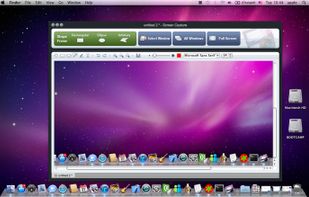
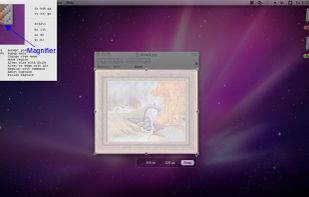
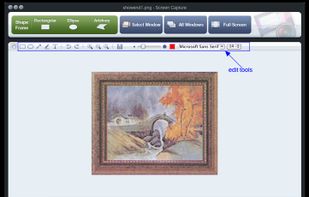
    Onde Screen Capture for Mac is currently the most professional and powerful screen grabbing utility running on Mac OS, by which you can easily capture any part on your Mac desktop such as rectangular or ellipse region, freehand region, full screen, active window or all windows...

    Cost / License

    • Freemium
    • Proprietary

    Application type

    Platforms

    • Mac
     
  3. ScreenMaster icon
     1 like
    Copy a direct link to this comment to your clipboard

    ScreenMaster is the program for automatic screenshots capture that allows to take the images with a pre-defined frequency. The program has the options for fast screenshot saving to a specified folder.

    17 ScreenMaster alternatives

    Cost / License

    • Paid
    • Proprietary

    Application type

    Platforms

    • Windows
     
  4. Copy a direct link to this comment to your clipboard

    GNOME Screenshot is a utility used in the GNOME desktop environment for taking screenshots. It was part of the GNOME Utilities (gnome-utils) package, but was split into its own package for the 3.3.1 version in 2011.

    Cost / License

    • Free
    • Open Source

    Application type

    Platforms

    • Linux
    • FreeBSD
    • GNOME
     
  5. SnipSnip icon
     2 likes
    Copy a direct link to this comment to your clipboard

    SnipSnip is a screen capture utility, designed for easy capture of some or all of your screen(s). It also allows you to do simple tasks like resizing, cropping and drawing on the capture.

    Cost / License

    • Free Personal
    • Proprietary

    Application type

    Platforms

    • Windows
     
  6. Copy a direct link to this comment to your clipboard

    Screen Capturer allows you to instantly capture any area of the screen to a file or email.

    Cost / License

    • Free
    • Proprietary

    Application type

    Platforms

    • Windows
     
  7. XSnap icon
     Like
    Copy a direct link to this comment to your clipboard

    QuickScreenshot is a lightweight and very easy to use application that enables you to take screenshots of your desktop with a few mouse clicks. Just press the wanted screenshot key (or press it multiple times) and your screenshots are done!

    Cost / License

    • Free
    • Proprietary

    Application type

    Platforms

    • Windows
     
  8. ClipAce icon
     1 like
    Copy a direct link to this comment to your clipboard

    AI-powered screenshot utility for region, window, and full-screen capture, featuring background removal, optical character recognition, image enhancement, annotation, watermark, and signature tools. Supports creatives, professionals, and content sharing workflows.

    Cost / License

    • Free
    • Proprietary

    Application type

    Platforms

    • Windows
     
  9. Copy a direct link to this comment to your clipboard

    Snip is a screen-capture application that can capture the active window or custom areas. Drag to zoom in/out the screen shot; add labels, texts and handwriting contents of your choice and save it to your device or the clipboard.

    Cost / License

    • Free
    • Proprietary

    Application type

    Platforms

    • Mac
     
  10. Copy a direct link to this comment to your clipboard

    Image Tools is a screen capture, file sharing and image processing tool. It features multi-threaded batch image resizing, conversion, cropping, flipping/rotating, watermarks, decolorizing (grayscale, negative, sepia), and optimizing.

    Cost / License

    • Free
    • Proprietary

    Application type

    Platforms

    • Windows
     
You are at page 8 of HotShots alternatives