hora is a fast, native calendar for people who live in Google Calendar on Mac. Check your day from the menu bar, join meetings in one click, add events just by typing what you mean, and move through your schedule without ever opening a browser tab.
hora connects directly to Google Calendar through the Google API, so sync feels fast and reliable. It supports the details Google Calendar users expect: event colors, Focus Time, Out of Office, and Working Location blocks, calendar switching, account switching, invitations, and updates that show up right away, not five minutes later.
Built for daily work:
• See today and tomorrow from the menu bar
• Join Google Meet, Zoom, and Microsoft Teams calls in one click
• Add events with natural language
• Switch between 1-day, 5-day, 7-day, and month views
• Check your schedule from the agenda widget
• Search your events instantly, including full Google Calendar search
• Share your availability by email or chat
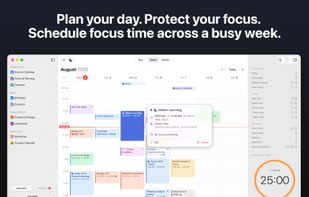
• Schedule focus time across your day or week
• Run Pomodoro sessions for deep work
• Accept, decline, or ignore invitations
• Delete events or decline invites without sending an unnecessary email
• Work offline, everything syncs once you're back online
• Work across time zones, week starts, and time formats
• Add travel time with Apple Maps and MapKit
• Get suggestions from macOS Contacts and Google Other Contacts
• Navigate the whole app with keyboard shortcuts
• Pick a theme, from Tokyo Night to Catppuccin, Gruvbox, Osaka Jade, and more
hora is private by design. Your accounts and tokens stay in macOS Keychain, and hora doesn't run a backend that stores your calendar content: everything stays between your Mac and the calendar providers you connect.
Where available, Apple Intelligence can help with event titles, descriptions, availability messages, focus time planning, and summaries for long event notes.
A native Mac calendar for people who rely on Google Calendar.
Privacy Policy: https://horacal.app/privacy/
Terms of Use: https://horacal.app/terms/







 EU
EU


 Anna-Szamowska added hora Calendar as alternative to Fantastical, Google Calendar, Apple Calendar and Notion Calendar

 MACIEJ PIOTR SZAMOWSKI
