Homerow Alternatives

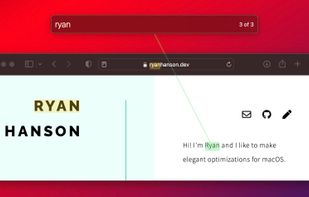
Homerow is described as 'Spotlight for the macOS user interface. Navigate macOS with just the keyboard' and is a keyboard navigation utility in the os & utilities category. There are more than 25 alternatives to Homerow for a variety of platforms, including Mac, Windows, Linux, Mozilla Firefox and Google Chrome apps. The best Homerow alternative is Mousio, which is free. Other great apps like Homerow are Vimium, Vieb, Shortcat and hunt-n-peck.

Copy a direct link to this comment to your clipboard
Homerow alternatives page was last updated

Alternatives list

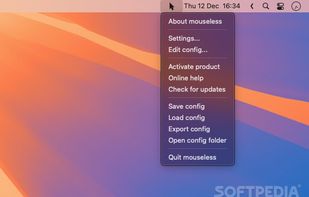
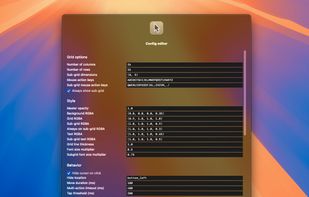
  1. Experience mouse control through keyboard-driven input, enabling rapid clicks in less than two seconds with an on-screen overlay for effortless navigation. It's ideal for enhancing productivity, reducing strain from prolonged trackpad use, and providing accessibility for those who cannot use traditional mice.

    37 mouseless - mouse control alternatives

    Cost / License

    • Paid
    • Proprietary

    Application type

    Platforms

    • Mac
     
  2. VimFx icon
     10 likes

    VimFx is a Mozilla Firefox extension which introduces Vim-style keyboard shortcuts for browsing and navigation, significantly reducing the use of mouse, and allowing your hands to rest on the home row.

    Cost / License

    • Free
    • Open Source

    Alerts

    • Discontinued

    Platforms

    • Mac
    • Windows
    • Linux
    • Firefox
     
  3. Vimac icon
     9 likes

    Stop using your clunky trackpad/mouse now. Vimac is a productivity application that revolutionizes the way you navigate macOS.

    Cost / License

    Alerts

    • Discontinued

    Platforms

    • Mac
     
  4. NeatMouse icon
     9 likes

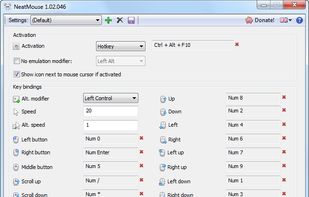
    NeatMouse is a small tool for Windows that allows controlling your mouse cursor via keyboard.

    35 NeatMouse alternatives

    Cost / License

    • Free
    • Proprietary

    Platforms

    • Windows
     
  5.  1 like

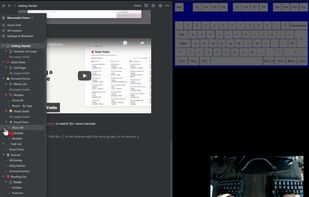
    Ask yourself, do you use your mouse frequently (or at all) during programming? Is it really necessary? I think not. Since, you could very well perform most of the tasks in your workflow using various keyboard shortcuts and hotkeys, and achieve even better productivity and...
    Cost / License

    • Free
    • Open Source (MIT)

    Platforms

    • Windows
     
  6. keynav icon
     3 likes

    Another episode in the revolution against mouse-requisite interfaces, keynav is one more step towards impulse-driven computing. It's a piece of an on-going experiment to make pointer-driven interfaces easier and faster for users to operate.

    Cost / License

    • Free
    • Proprietary

    Platforms

    • Windows
    • Linux
    • BSD
     
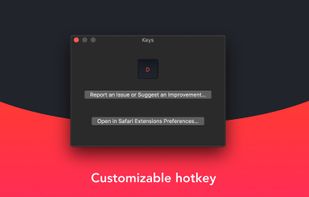
  7. Upon pressing G, Keys for Safari generates & renders shortcuts for every clickable element on the page. It's a much more beautiful and simple alternative to apps that just display a little yellow tag anywhere without much thought to user experience.

    Cost / License

    • Free
    • Proprietary

    Platforms

    • Mac
     
  8.  1 like

    This software was created to offer you the possibility to control your mouse using the keyboard. It is a very simple application, which can replace your Computer Mouse with normal keystrokes on your keyboard!

    Cost / License

    • Free
    • Proprietary

    Alerts

    • Discontinued

    Platforms

    • Windows
     
  9. VimMotion icon
     1 like

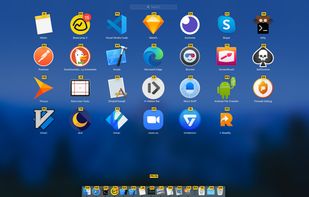
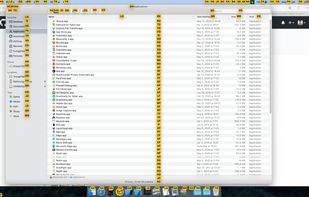
    Brings vim-easymotion to macOS, where most UI elements can be accessed with your fingers on the keyboard.
    Cost / License

    • Free
    • Proprietary

    Platforms

    • Mac
     
  10. Neru icon
     1 like

    Enables comprehensive keyboard navigation on macOS using recursive grid, grid, and hints modes available in all apps, mouse actions via keybindings, Vim-style scrolling, customizable behaviors, exclusion for specific apps, fast CLI automation, and scriptable workflows.

    Cost / License

    • Free
    • Open Source (MIT)

    Application type

    Platforms

    • Mac
     
  11. AutoHotKey script that emulates keynav on Linux. It represents a really practical alternative to mouse point and click operations (contrary to the highly unsatisfactory accessibility options offered by the OS).

    Cost / License

    • Free
    • Open Source

    Platforms

    • Windows
    • AutoHotkey
     
  12. Wooshy icon
     Like

    Enables efficient keyboard navigation and control of the Dock, left menu bar, and right status bar on macOS. Provides system-wide shortcuts, supports accessibility, and allows users to keep hands on the keyboard for a mouseless workflow and personalized interface management.

    Cost / License

    • Paid
    • Proprietary

    Application type

    Platforms

    • Mac
     
You are at page 2 of Homerow alternatives