





Homeio
Like
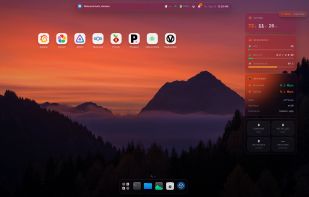
Homeio turns a Linux home server into a desktop you use from the browser, with windows, a dock and a command palette. Install apps in one click from the CasaOS app store or any CasaOS-format store, or paste your own Docker Compose file or docker run command.

Cost / License
- Free
- Open Source (MIT)
Platforms
- Self-Hosted
- Linux
- Raspberry Pi
- Debian
- Docker


Features

Homeio News & Activities
Highlights All activities
Recent activities
 doctor-io added Homeio as alternative to Runtipi, Cosmos Server, HomeDock OS and StartOS
- doctor-io added Homeio

Homeio information
Developed by
Ahmed TabibLicensing
Open Source (MIT) and Free product.Written in
Alternatives
10 alternatives listedBadge
Get an embeddable badge for HomeioSupported Languages

AlternativeTo Categories
Development, System & Hardware, Backup & Sync, File Management, Security & PrivacyGitHub repository
- 79 Stars
- 6 Forks
- 3 Open Issues
- Updated


No comments or reviews, maybe you want to be first?