HideFaces Alternatives

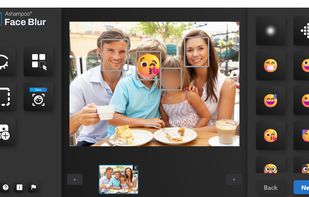
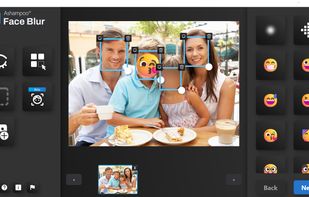
HideFaces is described as 'Browser-based AI automates face, plate, and text redaction with local processing, multiple masking modes, EXIF data removal, batch support, and privacy protection' and is an website in the ai tools & services category. There are more than 10 alternatives to HideFaces, not only websites but also apps for a variety of platforms, including Android, Windows, Mac and Android Tablet apps. The best HideFaces alternative is Face Blur. It's not free, so if you're looking for a free alternative, you could try AVCLabs Video Blur AI or ObscuraCam. Other great sites and apps similar to HideFaces are Point Blur, AutoMosaic, BlurTool and FaceBlurify.

Copy a direct link to this comment to your clipboard
HideFaces alternatives page was last updated

Alternatives list

  1. Face Blur icon
     4 likes

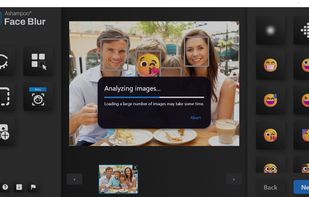
    Automatically detects and anonymizes faces in digital images using blur, pixelation, or emoticon, aiding privacy in corporate, social media, and educational photos. Features batch processing, customizable effects, and a user-friendly interface for quick editing.

    Cost / License

    • Paid
    • Proprietary

    Platforms

    • Windows
     
  2. This app provides AI-powered video blurring with four modes: face, custom, background, and foreground blurring. It uses deep-learning and adversarial networks for anonymization, making it a perfect tool for users wanting efficient editing and robust privacy protection.

    Cost / License

    • Freemium
    • Proprietary

    Application type

    Platforms

    • Windows
    • Mac
     
  3. ObscuraCam icon
     3 likes

    Automatically detects faces in photos and videos, offers privacy modes like pixelation, blurring, or masking, removes identifying metadata including GPS, lets users take photos or import media, and enables secure sharing to social platforms or local storage.

    Cost / License

    Alerts

    • Discontinued

    Platforms

    • Android
    • F-Droid
     
  4. Point Blur icon
     1 like

    Apply customizable blur, mosaic, or pixelation to entire images or specific traced areas with adjustable strength, using three brush types, an eraser, and cropping tools for privacy protection and quick social media-ready edits on Android.

    Cost / License

    • Freemium
    • Proprietary

    Platforms

    • Android
    • Android Tablet
     
  5. AutoMosaic icon
     1 like

    AutoMosaic is an AI-powered Windows desktop application for automatically detecting target areas in images and applying mosaic, blur, black fill or white fill to multiple files in a batch.

    Cost / License

    • Paid
    • Proprietary

    Platforms

    • Windows
     
  6. BlurTool icon
     1 like

    BlurTool is a privacy-focused Windows application for automatically anonymizing people and license plates in photos, videos and 360° media.

    Cost / License

    • Paid
    • Proprietary

    Platforms

    • Windows
     
  7. FaceBlurify icon
     1 like

    AI privacy tool to automatically blur, pixelate, or black out faces and bodies in images and short videos. Free & No sign-up! Images are processed in your browser; videos are processed server-side and auto-deleted after processing.

    21 FaceBlurify alternatives

    Cost / License

    • Free
    • Proprietary

    Application type

    Platforms

    • Online
     
  8. Online Tools House is a collection of free browser-based tools designed to simplify everyday digital tasks across multiple categories, including image editing, web design, and text processing.

    Cost / License

    • Free
    • Proprietary

    Platforms

    • Online
     
  9. PiiBlur icon
     Like

    PiiBlur automatically detects and redacts personally identifiable information (PII) in photos and videos. Upload through the dashboard or integrate via REST API - AI scans each file for faces, license plates, screens, documents, street signs, ID cards, passports, credit cards...

    Cost / License

    • Freemium
    • Proprietary

    Platforms

    • Online
     
  10. Automatically blurs faces and redacts personal data in videos, images, audio files, and documents, detects spoken and visual PII, offers user review and editing, pay-per-file with no account, removes EXIF metadata, GDPR-compliant EU-based processing, files auto-deleted after processing.

    Cost / License

    • Paid
    • Proprietary

    Platforms

    • Online
     
  11. Redact Pro is a secure, cloud-based platform that automatically removes faces from videos. It uses advanced computer vision to detect and track identities accurately, even in complex scenes. The system is designed for personal, legal, investigative, and professional use, with...

    Cost / License

    • Freemium
    • Proprietary

    Application type

    Platforms

    • Online
     
  12. Pixit icon
     Like

    Pixit simplifies image privacy by allowing you to blur sensitive information effortlessly. Just draw rectangles over any confidential details, adjust the blur intensity as needed, and instantly export your protected images in PNG, JPEG, or HEIC format.

    Cost / License

    • Free
    • Proprietary

    Platforms

    • Mac
     
12 of 16 HideFaces alternatives