Guidy is an AI desktop assistant for Windows and Mac that provides real-time, on-screen guidance inside any software, application, or website the user has open. It runs as a lightweight app that sits on the desktop and activates only when the user asks for help.
Instead of returning text-based answers that users have to translate back to their screen, Guidy reads what is currently displayed and highlights the exact button, menu, field, or setting the user needs to interact with next. Each step comes with a short written instruction explaining what to click and why. The user performs each action themselves.
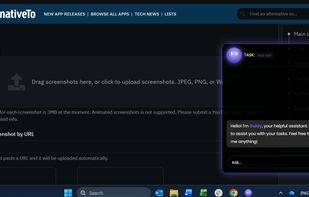
The interaction is straightforward. The user opens Guidy, types a question in plain language, and Guidy responds by pointing directly at the relevant element on their actual screen. Questions can range from "how do I set up an out-of-office rule in Outlook" to "what formula do I use to sum this column" to "where do I cancel this order."
Because Guidy reads the screen at the desktop level rather than connecting through APIs, it works across any software or website without per-app integrations, plugins, or setup. Users have applied it inside Microsoft Office (Excel, Word, PowerPoint, Outlook), Google Workspace (Sheets, Docs, Analytics), design tools (Canva, Adobe apps), CRMs (Salesforce, HubSpot), collaboration platforms (Slack, Asana, Monday.com, Notion, Zoom), e-commerce dashboards (Shopify, Amazon Seller Central), government portals, invoice systems, and internal company tools.
Guidy does not click, type, or take action on behalf of the user. This distinguishes it from AI agents that automate tasks by controlling the interface. The stated design goal is to help users learn the software they are working in, not to replace their interaction with it.
Common use cases include unfamiliar tasks where users don't know where to start, error messages that need a fix, features hidden inside menus, form filling (job applications, government forms, invoices), administrative work such as cancelling orders or processing receipts, spreadsheet formulas and data analysis, email setup, and onboarding to new tools without formal training.
On privacy, Guidy only reads the screen when the user actively opens it and asks for help. It does not run in the background. Screen content is not stored, logged, or used to train AI models. All data transmission between the app and the AI models is encrypted end to end.
Pricing is a one-time $69 purchase that includes starter credits. Users top up as they use them up. A subscription model is planned in the future.






 EU
EU
 guidy added Guidy as alternative to Clicky, Whatagraph, LookAnalyze, Microsoft 365 Copilot and 1 more
 365 Company

No comments or reviews, maybe you want to be first?