Cost / License
- Free
- Open Source
Alerts
- Discontinued
Platforms
- Windows


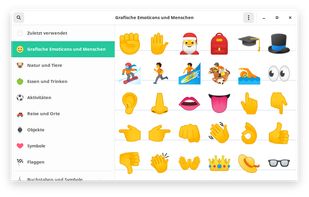
Gucharmap is described as 'Open source character map for the GNOME desktop environment' and is an app. There are more than 25 alternatives to Gucharmap for a variety of platforms, including Windows, Web-based, Mac, Flathub and Linux apps. The best Gucharmap alternative is WinCompose, which is both free and Open Source. Other great apps like Gucharmap are KCharSelect, BabelMap, Character Map and UnicodePad.


The character map that works! PopChar is an application that lets you insert special characters, umlauts and foreign letters into any document. With this character map, there is no need to search for or remember complex keystrokes.


Handy online Unicode character table with search tool, short information about origin and history of most characters in eight languages and some great compose-tools.


Uosk is a light tool that opens any ASCII, ANSI, UTF-8 and UTF-16 text file and converts words (e.g. separated by spaces) into buttons. Clicking one button the text snippet is pasted into any text editor (Notepad, WordPad, MS Office, OpenOffice...).


WizKey makes it easy to type accented and other special Unicode characters using a standard US/UK keyboard with easy to remember keyboard shortcuts.


Mac OS X application to explore Unicode. Analyse and convert Unicode strings for HTML or programming. Supports UniHan, Services, AppleScript and more.


Extra Keys is a software input panel for typing international accented and other special characters.

„Letters & Ligatures” is a free online tool for single click copy-pasting unusual symbols not present on a keyboard includic Cyrillic, Greek, rare and archaic letters, phonetic symbols and ligatures.

Unicode Blank Chars, a portable tool that detects Unicode Blank characters based on the "System Case Insensitive Locale" rules!

Unicode Chars Number, is a portable tool that can be used to find the ordinal value (numeric character code) of any Unicode character!

Use Copy Paste Character to insert proper typographic characters, such as “quotation marks” and the interrobang ?, or simply use it to spice up your e-mail messages, tweets, or text messages with h?ppy faces, sn?wmen or ? arrows ?.
It is not a good alternative. It is only okay. It does not display all characters in the Unicode code blocks. This is the problem with Microsoft Character Map.