GoFully icon
GoFully icon

GoFully

Free, 100% on-device Chrome extension for full-page screenshots, local OCR text extraction, visual annotation, and PDF export.
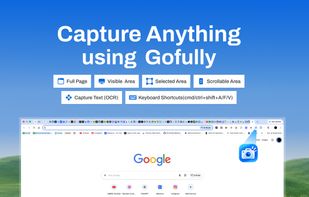
Capture full page, visible area, or a custom selection — with OCR text capture and keyboard shortcuts for every mode.

Cost / License

  • Free
  • Open Source (MIT)

Application type

Platforms

  • Google Chrome  Official Chrome Web Store listing.
  • Brave
  • Microsoft Edge
0likes
0articles

Features

Properties

  1.  Privacy focused

Features

  1.  Annotate Screenshot
  2.  Full-page Screenshot
  3.  No Tracking
  4.  Works Offline
  5.  Ad-free
  6.  OCR
  7.  No registration required
  8.  Image Annotations
  9.  Export to PDF

GoFully News & Activities

Highlights All activities

Recent activities

GoFully information

AlternativeTo Categories

Photos & GraphicsOS & UtilitiesOffice & ProductivityWeb Browsers

GitHub repository

  •  0 Stars
  •  0 Forks
  •  0 Open Issues
  •   Updated  
View on GitHub
GoFully was added to AlternativeTo by MUZEEBURRAHAMAN on and this page was last updated .
No comments or reviews, maybe you want to be first?

What is GoFully?

GoFully is a free Chrome extension for capturing full-length webpage screenshots, extracting text with on-device OCR, and turning raw captures into polished, shareable images — all without an account and without anything ever leaving your browser.

Unlike most screenshot extensions, GoFully doesn't stop at the capture. It includes a full annotation studio (arrows, callouts, step numbers, shapes, text), one-click redaction to blur or pixelate sensitive information, and a "Beautify" mode that wraps your screenshot in a clean browser or device mockup with gradient backgrounds — ready to drop straight into a doc, ticket, or social post.

Key features:

  • Full page (scrolling), visible area, and custom selected-region capture
  • Local WebAssembly OCR — extract text from any screenshot, entirely on-device
  • Annotation tools: arrows, callouts, spotlight, shapes, text, step numbers
  • One-click redaction (blur/pixelate) for sensitive data
  • Beautify mode: gradient backgrounds, device frames, padding, shadow, corner radius
  • Export to PNG, WebP, 4K UHD, or a paginated PDF — or copy straight to clipboard
  • No account, no cloud uploads, no tracking, no ads
  • Minimal permissions: activeTab, downloads, clipboardWrite, storage only
