


Gizmo Drive
Simulates virtual drives for ISO, BIN, VHD, IMG, NRG, CCD, MDS, and MDF files, supports encrypted, password-protected, compressed, and sparse GDRIVE images, integrates with Windows Shell, and enables command line automation for mounting and unmounting.
Cost / License
- Free
- Proprietary
Application types
Alerts
- Discontinued
Platforms
- Windows
The program is no longer updated. Last version, 2.7.9, released in May 2011, can be still downloaded from the official website.

Gizmo Drive News & Activities
Recent activities
- Danilo_Venom updated Gizmo Drive
Featured in Lists

Programs I used to use and why I no longer use them. I expect this list to grow and change over time.
What is Gizmo Drive?
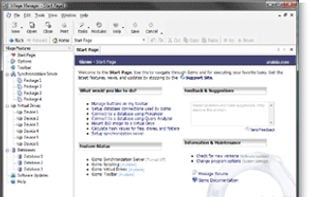
Gizmo Drive is a virtual device simulator which allows you to create password protected hard disk images with its proprietary GDRIVE format. Gizmo Drive also supports a number of standard image formats including: ISO, VHD, BIN, IMG, NRG, CCD, MDS, and MDF.
• Mount ISO, BIN, CUE, NRG files to a virtual CD-ROM drive • Mount VHD files, used with Microsoft Virtual PC • Mount password protected images to a virtual hard drive • Encrypt HD images using a passphrase • Protect vital files from hackers using encrypted HD images • Mount IMG files to a virtual drive • Mount and unmount files from the Windows Shell • Mount and unmount files from the command line • Support for compression and sparse HD images
Gizmo Drive information
Developed by
 Arainia Solutions
 Licensing
Proprietary and Free product.Alternatives
37 alternatives listedSupported Languages
- English


Comments and Reviews
https://www.majorgeeks.com/files/details/gizmo_drive.html Popup tray icon Gizmo Manager is a nuisance.
I really like this one, compared to all the others here, mainly for it's clean UI, x64 support and integrated hasher. This freeware absolutely rocks. also the ease of configuring drive letter order is great too.
Great app, it allows very easy mounting and unmounting, just by right clicking, and good for making and burning iso's as well.