Furman icon
Furman icon

Furman

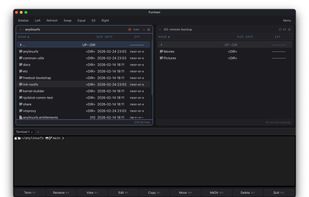
A dual-pane file manager for macOS.

Furman screenshot 1

Cost / License

Platforms

  • Mac
0likes
0comments
0articles

Features

  1.  Dual Pane Support
  2.  Filesystem
  3.  Support for SFTP

Furman News & Activities

Highlights All activities

Recent activities

Furman information

  • Developed by

    PL flagfenio
  • Licensing

    Open Source (GPL-3.0) and Free product.
  • Written in

  • Alternatives

    8 alternatives listed
  • Supported Languages

    • English

AlternativeTo Categories

File ManagementOS & Utilities

GitHub repository

  •  11 Stars
  •  0 Forks
  •  1 Open Issues
  •   Updated  
View on GitHub
Furman was added to AlternativeTo by fenio on and this page was last updated .
No comments or reviews, maybe you want to be first?

What is Furman?

File & URL Repository MANager A dual-pane file manager for macOS inspired by times when Dos Navigator was the king.

Features

  • Dual-pane layout with per-panel tabs — work in multiple directories at once
  • S3 cloud storage — connect to AWS, MinIO, Backblaze B2, Cloudflare R2, and 38+ providers
  • SFTP remote access — browse and manage files on any SSH server
  • Built-in terminal — bottom panel, Quake-style drop-down, or inline per-pane
  • Git integration — branch, status, and pull right in the panel header
  • Batch rename — find/replace, prefix/suffix, numbering, and case transforms
  • Right-click context menu — all file operations one click away
  • Command palette — Cmd+Shift+P to find and run any command
  • Undo — Cmd+Z to undo delete and rename operations
  • Directory comparison — Cmd+Shift+D to diff left and right panels
  • MCP server — standalone binary exposing S3 and SFTP tools for AI agents via Model Context Protocol
  • AI model inspector — instant metadata for SafeTensors, GGUF, and ONNX files (architecture, parameters, quantization, tensors) — header-only, works on 70 GB+ models
  • Archive browsing — navigate inside zip, rar, and 7z as if they were directories
  • View, edit, search — built-in viewer, editor, and file/content search
  • Drag & drop, quick filter, auto-refresh — everything you'd expect from a modern file manager
  • Dark & light themes — follows your OS, or toggle with a shortcut
  • Preferences — 20+ settings across General, Appearance, Network, and Terminal tabs

Official Links