


ForkLift
The most advanced dual pane file manager and file transfer client for macOS.

 EU
EU


Features
- Dual Pane Support
- Mount FTP drives
- Support for SFTP
- Support for FTP
- Mounting drives
- File Sync
- Command line interface
- Live Preview
- Dark Mode
- Favorites
- Miller columns

- Directory sync
- Multiple languages
- Built-in archiver
- WebDAV Support
 Dropbox integration
- Integrated File Sharing
- Support for Keyboard Shortcuts

ForkLift News & Activities
Recent News
- Fla published news article about ForkLift
 ForkLift 4.5.1 adds multi-item iCloud removal and speeds up large file operations
ForkLift 4.5.1 introduces the ability to remove multiple downloaded items from iCloud Drive at once...
- POX published news article about ForkLift
 ForkLift 4.5 adds new metadata columns, editable comments, and several bug fixes for macOS
ForkLift 4.5 delivers several enhancements for macOS users managing files and media with this advan...
- Fla published news article about ForkLift
 ForkLift 4.4.5 includes file checksum calculation and key bug fixes
ForkLift 4.4.5 now includes file checksum calculation with support for MD5, SHA-1, SHA-256, SHA-384...


Recent activities
 POX added ForkLift as alternative to Captain's Deck
 berti added ForkLift as alternative to TheCommander
 POX added ForkLift as alternative to Trove File Explorer
- DigitalSorceress liked ForkLift
 POX added ForkLift as alternative to CoverFlowFinder
 gwrvan-barre added ForkLift as alternative to FolderFresh
 npn99f8hmj added ForkLift as alternative to Synapse file manager
- kantmarg liked ForkLift




Featured in Lists

Must have Mac Apps 2019

List of all Mac apps

A list with 139 apps by boniaditya without a description.
What is ForkLift?
The most advanced dual pane file manager and file transfer client for macOS.
Remote Connections
Connect to SFTP, FTP, WebDav, Amazon S3, Backblaze B2, Google Drive, OneDrive, Dropbox, Rackspace Cloudfiles, SMB, AFP, and NFS remote volumes. Manage your files efficiently across networks: connect to multiple servers simultaneously and even copy between them with drag and drop.
Sync
Compare local or remote source and target folders identifying matching, modified, new and deleted files. Synchronize them one or two-way with a single mouseclick, or save it as a favorite. Up to 20x faster analyzation than ForkLift 3.
Favorite Paths
Experience enhanced efficiency for remote destinations. Think of it like having favorites within favorites—an organized way to keep track ofpaths you frequently use and want quick access to.
Preview
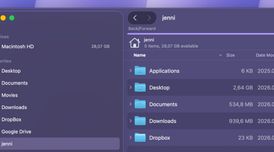
The preview panel shows you useful information about the selected file. Playback audio and video files, inspect images, PDFs and other popular document types. Quick edit text files in place, both on local drives and remote servers.
Activity View
Whether you're copying, renaming, deleting, compressing, or handling other tasks, this feature lets you see exactly what's going on. No more guesswork—watch your tasks progress in real-time and stay in control of your file management action.
Quick Open
Easily access your favorites, devices, menu commands, open a selected file with a preferred application, or apply a previously saved Multi Rename preset on selected files or folders.
Log View
Get valuable insights into your file management activities and their results, all in one easy-to-access place.
Favorite Sync
ForkLift will keep all your favorites synchronized across multiple computers via iCloud.
Dropbox Support
Copying Dropbox links to files located in your Dropbox directory is just a right-click away.
Transfers
Reorder transfers, set conflict management rules, error handling, limit download and upload bandwidth.
Tags
Organize your documents and files with tags: add, edit, remove, search, or filter them within ForkLift.
Sync Browsing
Given two identical folder structures. Browse in one pane and let ForkLift do the job for you in the other pane.
Tabs
Open different folders in the same pane, instead of separate windows.
Search
Search and filter by name, extension, kind, tags or content, even on remote servers.
Quick Select
Select files by typing a filename, an extension, or a tag and add them or exclude them from the selection.
Remote Editing
Set your preferred editor in ForkLift to edit remote files and we take care of uploading your changes as you save.
Command Line Tools
Extend ForkLift's capabilities to the max by invoking command line tools and apply them by using shortcuts.
Themes
A seamless way to personalize your interface. Choose from predefined themes that suit your taste, or let your creativity shine by crafting your very own themes.
ForkLift Videos
ForkLift information
Developed by
 binarynights
 Licensing
Proprietary and Freemium product.Pricing
One time purchase (perpetual license) ranging between $20 and $120 + free version with limited functionality.Rating
Average rating of 3.8Alternatives
119 alternatives listedNews
21 news article related to ForkLiftSupported Languages
- English


Comments and Reviews
I only got to use v3 because I think they stopped supporting Mojave afterwards and I refused to move to Catalina and later, but it was on that version an almost replacement for Finder, you can even set it up as the default file manager. It's so easy to use the manual was a single page and it covered pretty much anything you'd ever need. It also has the same shortcuts so if you're keyboard driven, you won't skip a beat.
The regex renaming feature is awesome, the search is confusing but still good, better than the Finder which needs the target pre-indexed and can't search by filename in the same directory. Those aren't issues you have in ForkLift.
It wasn't perfect though, you still need Finder for a thing or two--these are usually tasks tag will require dragging/dropping something. If a certain set of conditions were met, connecting to SMB shares would mean your system would freeze for several minutes at a time. It's a little resource-heavy too. It had a few bugs, I don't think they're relevant anymore.
If you were able to stomach modern macOS, give this a shot, it's worth it. I haven't used the current Finder but I can assure you v3 ForkLift is better than it, let alone v5.
Even though ForkLift is currently in its version 5+, it's still very buggy.
Since I bought it, I've had issues with Sync (which was one of the main reasons to acquire it), manually copying files to the cloud (Drive for example), and other minor annoying things like an app opening the location of a file but ForkLift only opening in the default directory.
Upon contacting with support, several times, they told me (someone named Bam) those issues were known and that I should change the app's settings to only 2 simultaneous file transfers which is like having a snail moving files:
And still, the Sync feature of the app won't work.
Customer support on itself was quick to respond, but not very amicable or informative.
If ForkLift were what they advertise on their website, it'd be a great app. Sadly it's not. It has the clear signs of an application still not ready for the market.
I regret buying ForkLift.
[Edited by Cifra, December 14]
It's way better than the mac finder. They even have an app deleter feature that clears the cache and other data stored by apps when you uninstall them.
Very capable and well designed file manager and ftp program. I use it for viewing photos (which works much better than in the new finder (Apple removed pinch&zoom option for whatever reason). I didn't find a proper replacement for it in Windows. On MacOS with Forklift it's easy to sync a local and FTP folder. ForkLift has a compelling visual overview. It syncs subfolders and shows every change with colors before sync. For this specific need, WinSCP does the job, it does sync subfolders, too.
Can't get SFTP working with private key authentication. It simply does not ask me for my key file.
Same here!! Only half of the features work. Google drive can't transfer more than 2 files at a time (confirmed by forklift's support!), Sync doesn't work with any cloud service and they can't even say when it'll be fixed. It looks good, but it's a big no-no.