FontExplorer X by Linotype Alternatives

FontExplorer X by Linotype is described as 'Font management from the font experts. Optimized for professional use, the FontExplorer X solution gives you the power you need to manage all your fonts. Now you can more easily manage, activate and organize your existing font collection as well as find and experiment with new' and is an app in the os & utilities category. There are more than 10 alternatives to FontExplorer X by Linotype for a variety of platforms, including Windows, Mac, Web-based, iPhone and iPad apps. The best FontExplorer X by Linotype alternative is NexusFont, which is free. Other great apps like FontExplorer X by Linotype are FontBase, MainType, Font Manager and MyFonts.com.

Copy a direct link to this comment to your clipboard
FontExplorer X by Linotype alternatives page was last updated

Alternatives list

  1. X-Fonter icon
     3 likes

    X-Fonter is an advanced font viewer and font manager for Windows that supports all font types (Truetype, Opentype, Postscript, Raster and Vector). The clear font previews make selecting the right font an easy task.

    Cost / License

    • Paid
    • Proprietary

    Platforms

    • Windows
     
  2. Font Finder icon
     8 likes

    FontFinder is created for designers, developers and typographers. It allows a user to analyze the font information of any element on a page, copy any piece(s) of that information to the clipboard, and perform inline replacements to test new layouts.

    Cost / License

    Application type

    Platforms

    • Online
    • Google Chrome
    • Opera
    • Firefox
     
  3. Font Book icon
     6 likes

    Font Book is the standard font manager that comes with Mac OS.

    The program enables users to: Preview and install font files, avoiding multiple instances of the same font. Review installed fonts using various sample texts and sizes. Group fonts into collections, which can then b.

    Cost / License

    • Free
    • Proprietary

    Application type

    Platforms

    • Mac
     
  4. Font Xplorer icon
     3 likes

    Font Xplorer - ultimate font viewing and management software. Font Xplorer does not support Adobe Type 1 fonts and OpenType fonts with PostScript outlines. It works with TrueType and OpenType fonts that have TrueType outlines.

    Do you need to find that perfect font for best fri.

    Cost / License

    • Free
    • Proprietary

    Alerts

    • Discontinued

    Platforms

    • Windows
     
  5. Typograf icon
     4 likes

    Typograf previews, prints and manages opentype, truetype, type1 and printer fonts.

    24 Typograf alternatives

    Cost / License

    • Paid
    • Proprietary

    Platforms

    • Windows
     
  6. TransType icon
     1 like

    TransType organizes font families, fixes font problems, and allows you to play and experiment with monochrome and multi-color fonts.

    Cost / License

    • Paid
    • Proprietary

    Platforms

    • Mac
    • Windows
     
  7. Font Picker icon
     2 likes

    This simple tool shows you all the fonts installed on your computer and helps you choose which one is most suitable for a particular project.

    Cost / License

    • Paid
    • Proprietary

    Application type

    Platforms

    • Mac
    • Windows
    • Online
     
  8. Cfont Pro icon
     2 likes

    Cfont Pro is a viewer to view installed system fonts, printer fonts, and a special mode where you select a directory and view the fonts in that directory.

    Cost / License

    • Free
    • Proprietary

    Alerts

    • Discontinued

    Platforms

    • Windows
     
  9. The Font Thing is a freeware program for managing TrueType fonts in Windows 95, Windows 98 and Windows NT 4.0. It hasn't been designed for but work well under Windows XP and 7.

    25 The Font Thing alternatives

    Cost / License

    • Free
    • Proprietary

    Platforms

    • Windows
     
  10. Font Glancer icon
     3 likes

    Font browser which displays a preview of all the fonts installed in system. Allows you to test each font and have a global view of the full char map of each font.

    Cost / License

    • Free
    • Proprietary

    Platforms

    • Windows
     
  11. Fonty icon
     Like

    Fonty allows you to scan all the installed fonts on your Mac and lists their character support. Fonty comes with some predefined character sets for some common languages and groups of characters.

    Cost / License

    • Paid
    • Proprietary

    Platforms

    • Mac
     
  12. FontDrop icon
     Like

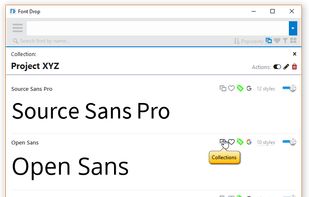
    Use fonts without needing to install them, just drag'n'drop to Photoshop/Illustrator! With an online catalog of fonts, quickly search and install them. Adobe suite integration lets you create new text layers and restore missing fonts.

    Cost / License

    • Paid
    • Proprietary

    Application type

    Platforms

    • Mac
    • Windows
     
You are at page 2 of FontExplorer X by Linotype alternatives